
Abiotic Factor gives you two routes onto a dedicated server. You can find it by name in the in-game server list, or skip the list entirely and type the address with Direct Connect. Both lead to the same place, and when one misbehaves the other usually still works.
What your group needs from you is the server name, the IP address with its port, and the password if you set one.
Before anyone can join
The server has finished booting. On a fresh start the server pulls the latest game build from Steam before it opens. When the Console tab prints Engine is initialized. it is ready for players.
Every player has crossplay switched on. In Abiotic Factor this toggle lives in each player's own game settings, not on the server. A player with it off cannot see the server in the list and cannot join it by address either. When one friend insists the server does not exist while everyone else is already inside, check this first.
Everyone is on the current game version. The server updates itself from Steam on boot. A client that has not updated yet is refused until it does.
Where the details live
Open your server in the control panel. The Overview tab shows a connection card with the IP address and port, plus a copy button. The Join button shows the same details from any tab.
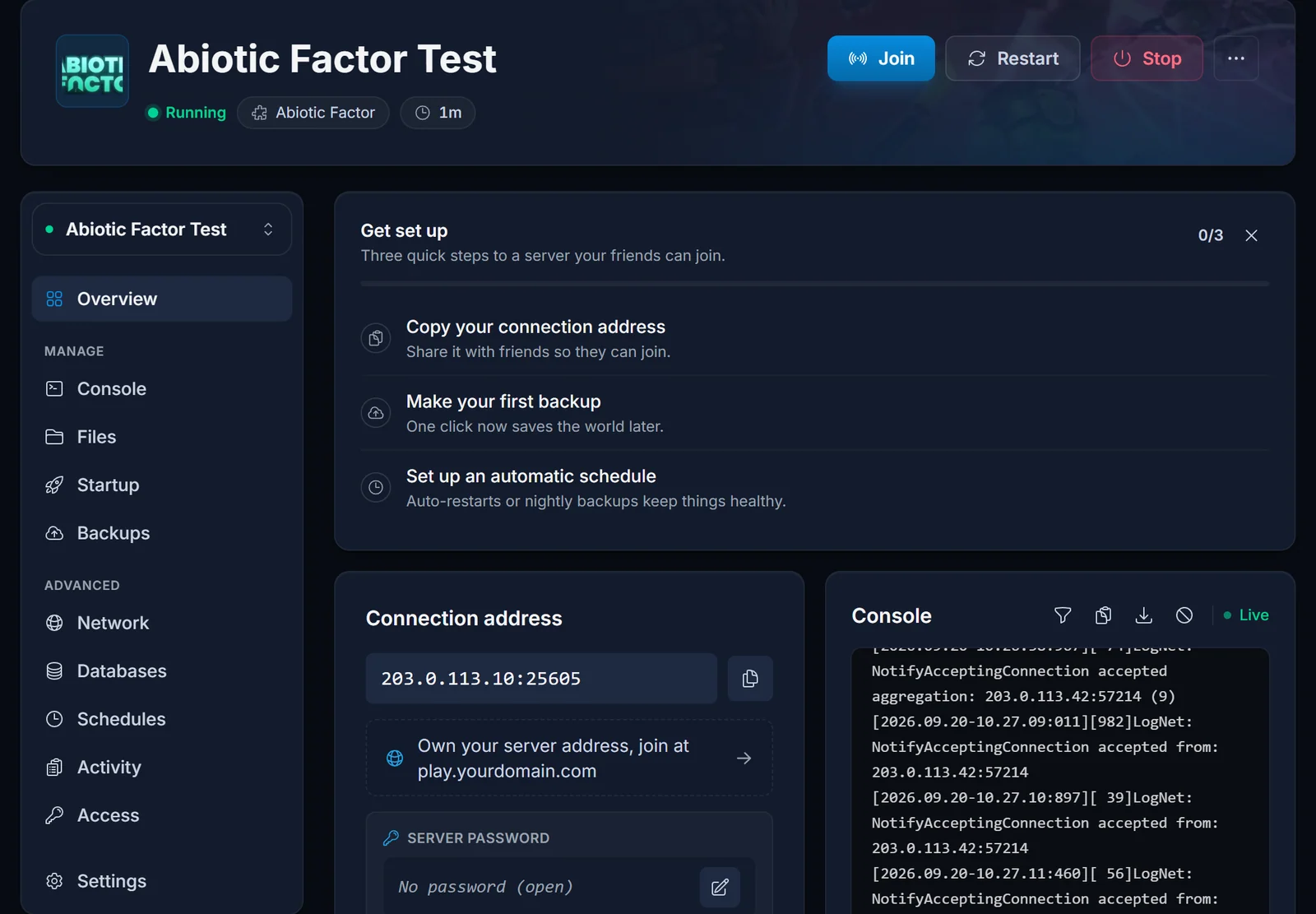
The name players search for is set on the Startup tab. Pick something distinctive. A generic word matches dozens of public servers and yours ends up lost among them.
Changes on the Startup tab are read when the server boots, so restart it after editing them.
Joining through the server list
- On the main menu, pick Enter The Facility, then Join A Server
- Search for the unusual part of your server name and apply the search
- Select your server and join, entering the password when the game asks for it
Joining with Direct Connect
- On the main menu, pick Enter The Facility, then Join A Server
- Open Direct Connect
- Paste the IP address and port from the connection card and connect
Copy the port from the panel instead of assuming one. The game's usual port is 7777, but servers sharing a machine each get their own, so yours may well be different.
Troubleshooting
One player cannot see or reach the server. Crossplay is off in that player's settings.
Nobody can find it in the list right after a restart. The listing is advertised through Steam and can trail a restart by a few minutes. Use Direct Connect in the meantime, which talks to the server directly.
The search returns nothing. Check the name against the Startup tab. A rename takes a minute or two to show up in the list, and the server has to be restarted for it to apply at all.
The server appears, but joining fails. Usually a wrong or outdated password. Make sure the whole group has the current one.
It worked yesterday and now nobody can connect. The server probably updated on its last boot. Have everyone update their game through Steam.
Still nothing. Look at the Console tab. If Engine is initialized. never appears, the server has not finished starting.
Frequently asked questions
Server list or Direct Connect, which is better? Direct Connect, once you have the address. It does not depend on the listing being up to date.
Does a password hide the server from the list? No. A password-protected server is still listed. The password is asked for when someone joins.
Why is my port not 7777? Each server on a shared machine gets its own port. The one on your connection card is the one that counts.
Can PlayStation or Xbox players join? Console players join through the server list the same way PC players do, as long as crossplay is switched on in their own game settings. On the server side, leave Platform Limit on the Startup tab empty (the default), which lets every platform in. Filling it in restricts the server to the platforms you list.
Checked crossplay, the version and the password and still stuck? Contact support with your server name and we will look from our side. No server yet? See our Abiotic Factor server hosting plans.
