
Farming Simulator 25 has no "connect by IP" box. Players open Multiplayer in game and pick your server out of the list by name, so the two things everyone needs are the exact server name and the game password, if you set one.
There is a step before that which most guides skip, and it is why plenty of healthy servers are missing from the list: a savegame has to be running.
Three things have to be true
The server is running. A first boot downloads and installs around 23 GB from the GIANTS portal, so give a brand new server 20 to 40 minutes before expecting it anywhere.
A savegame is loaded and running in the FS25 web panel. An idle server with no savegame is not joinable and is not advertised at all. This is the step people miss.
Your players know the name, the password, and are on the same language filter. That last one catches more people than everything else combined.
Server name and password
Open your server in the control panel and go to the Startup tab.
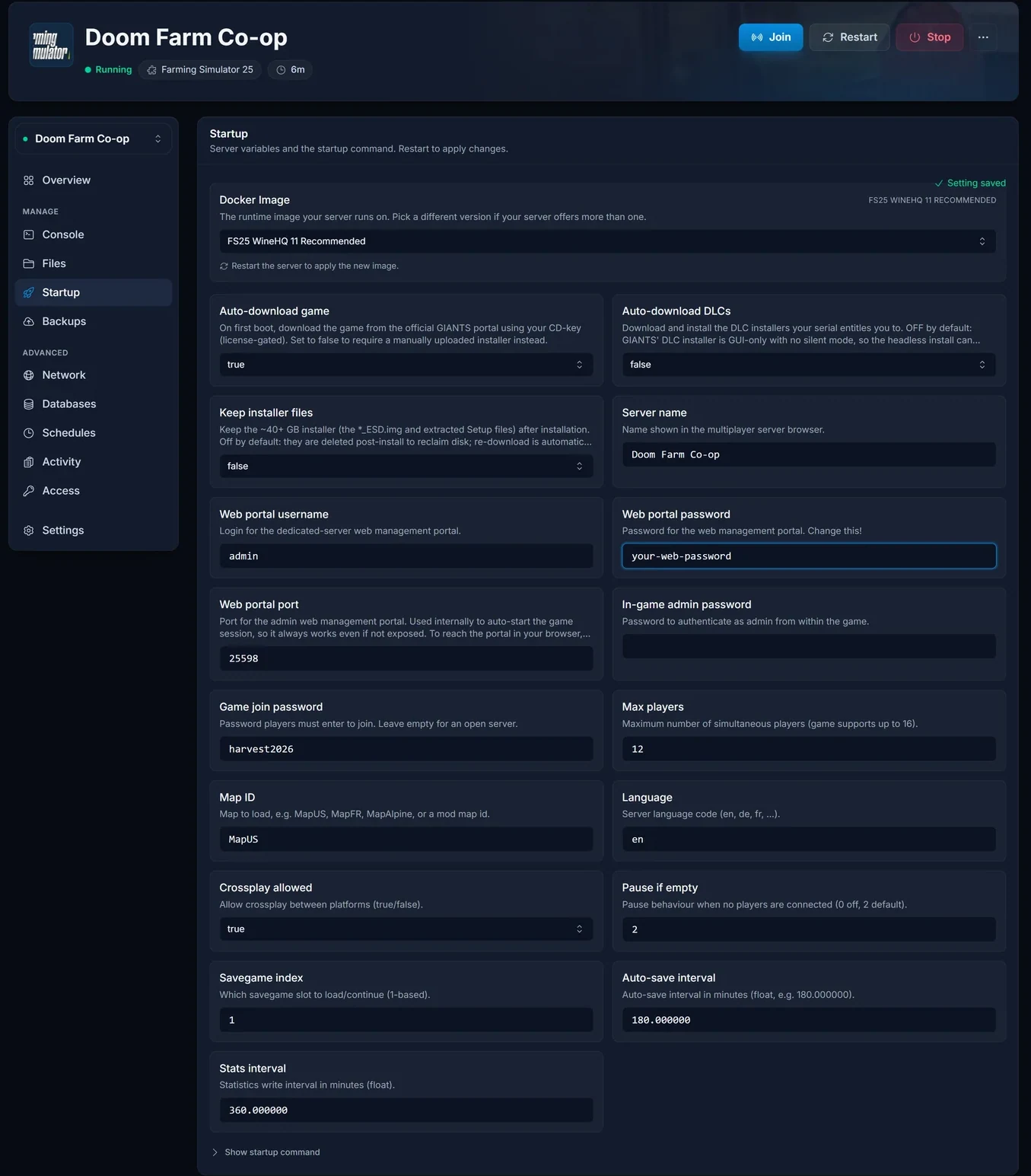
- Server name. The exact text in the in-game list, and what your friends search for.
- Game join password. Empty for an open server, or set one and share it. Players are prompted as they join.
- In-game admin password. Not for joining. It is what you type in game to authenticate as admin once you are on the server. Two different passwords, and mixing them up wastes time.
- Language. The language the server advertises itself under, and the most common reason a perfectly healthy server is missing from someone's list. Match it to your players.
- Max players. Up to 16.
Save, then restart from the Console tab. These are read at boot, so an edit without a restart changes nothing.
Start a savegame in the FS25 web panel
Farming Simulator ships its own browser-based admin portal, and that is where the farm is actually run: pick the map, create or continue a savegame, toggle mods, press start. Until a savegame is running there is nothing for anyone to join.
On the Overview tab, find the web admin panel card. It shows the address, username and password, all copyable.
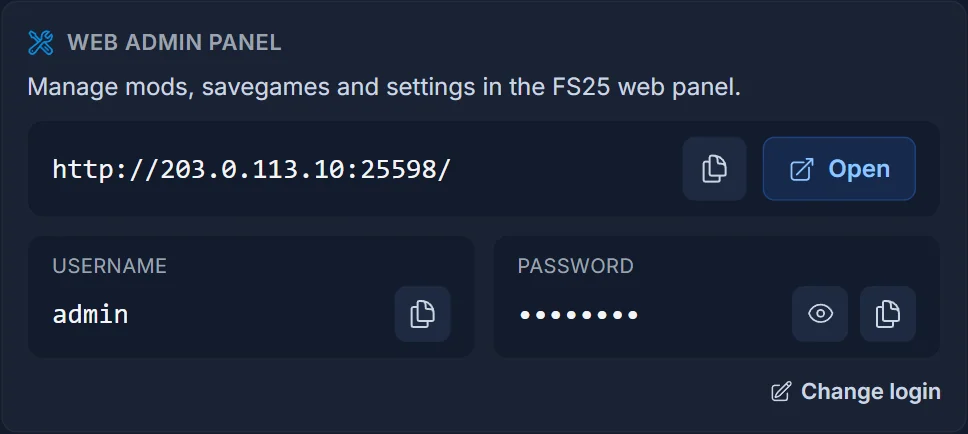
The Open button only arms once the portal is actually answering. Farming Simulator runs under Wine here, so the portal comes up a few minutes after the server flips to running, and longer on a first boot. If the button says starting, wait rather than refreshing repeatedly.
Log in with the username and password from that card. The portal has HOME, SAVEGAMES, MODS and LOG FILES across the top, and a status indicator that reads offline until a session is genuinely running.
Joining
- Launch Farming Simulator 25 and choose Multiplayer
- Make sure the language filter matches the server's language setting
- Search for the server name
- Join, and enter the game password if there is one
Troubleshooting
The server is not in the list. In order: is a savegame running in the web panel, does the language filter match, and is the name spelled the way it is in Startup.
One person cannot see it and everyone else can. Their language filter.
It is brand new and missing. The first boot pulls roughly 23 GB. Watch the Console tab.
The admin password does not let you in. You are using the admin password to join. The join password is a separate field.
A setting change did nothing. Startup values are read at boot. Restart the server.
Your DLC content will not load. Rented Farming Simulator servers run the base game only. GIANTS sells every DLC as its own product key, so DLC packs are not available on a rented server regardless of what you own on your own machine.
Frequently asked questions
Can I give my friends an IP? No. Farming Simulator 25 has no direct connect. Name, language and password are the whole route.
How many players? Up to 16.
Do I need the web panel every session? Only to start or change a savegame. Once one is running, players join from the game.
Why two passwords? One gets people onto the server, the other makes you admin once you are there.
Savegame running and still not listed? Contact support with your server name and the language you set, and we will look from our side. No server yet? See our Farming Simulator 25 server hosting plans.
