
Return to Moria connects by address, not by searching a list. Every player types the server's IP and port into the game once, so what they need from you is that full address and, if you set one, the password.
The port is the part people forget, and without it the game has nowhere to go.
Before anyone can join
The server is running. The Overview tab has to show it as Running. A server that is still starting or has stopped simply does not answer.
Everyone is on the same game version. The server pulls the latest build through SteamCMD each time it boots, so a restart brings it up to date. Players update through Steam or the Epic Games Store.
Your players have the complete address. IP and port together, written as IP:port.
Where the address lives
Open your server in the control panel. The connection card on the Overview tab shows the address with a copy button beside it, and the Join button in the header shows the same thing from any tab.
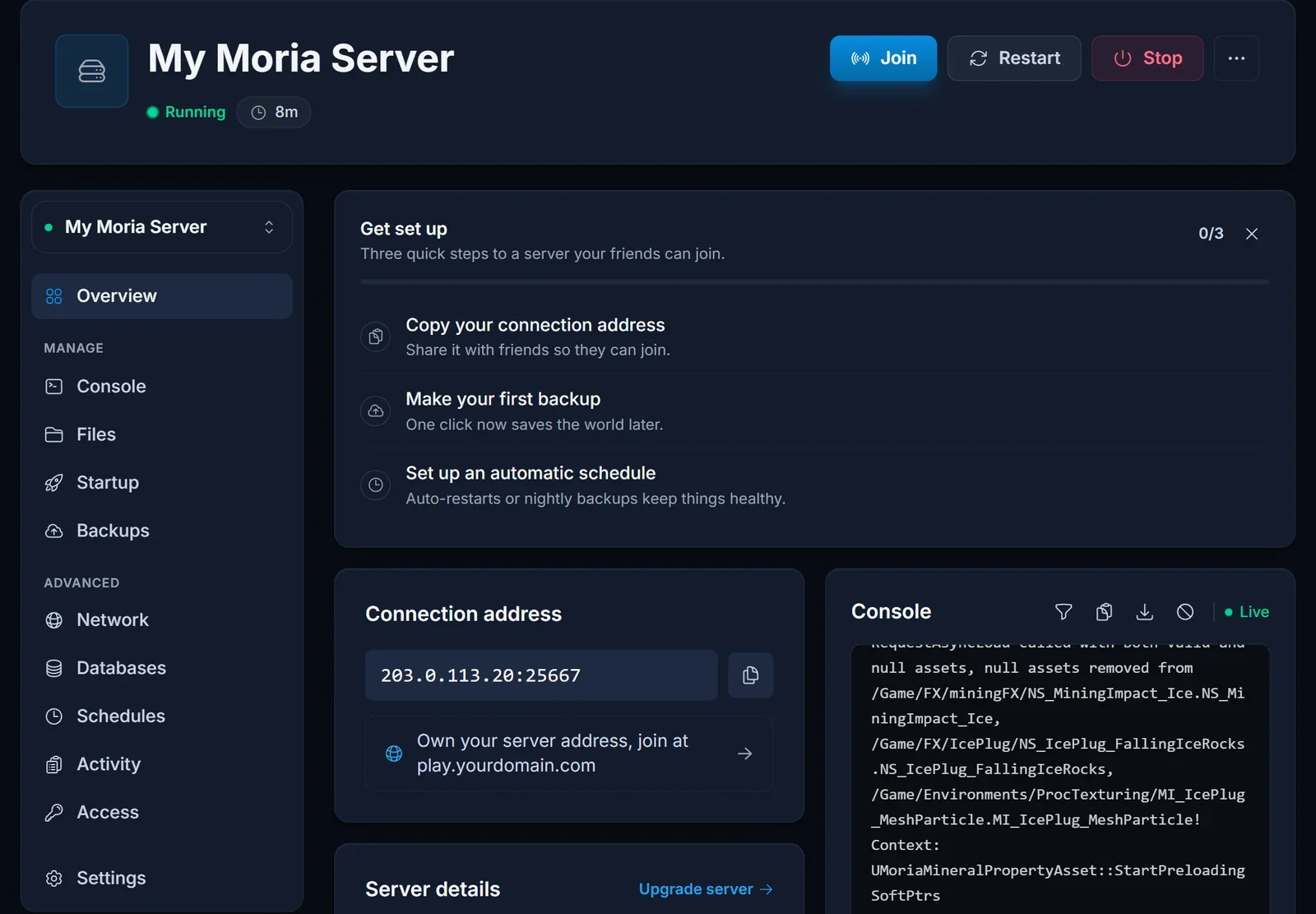
It looks like 203.0.113.20:25667. Copy it as one piece and send it as one piece. The number after the colon is the port, and the game needs it.
Password and world settings
Settings that affect joining sit on the Startup tab.
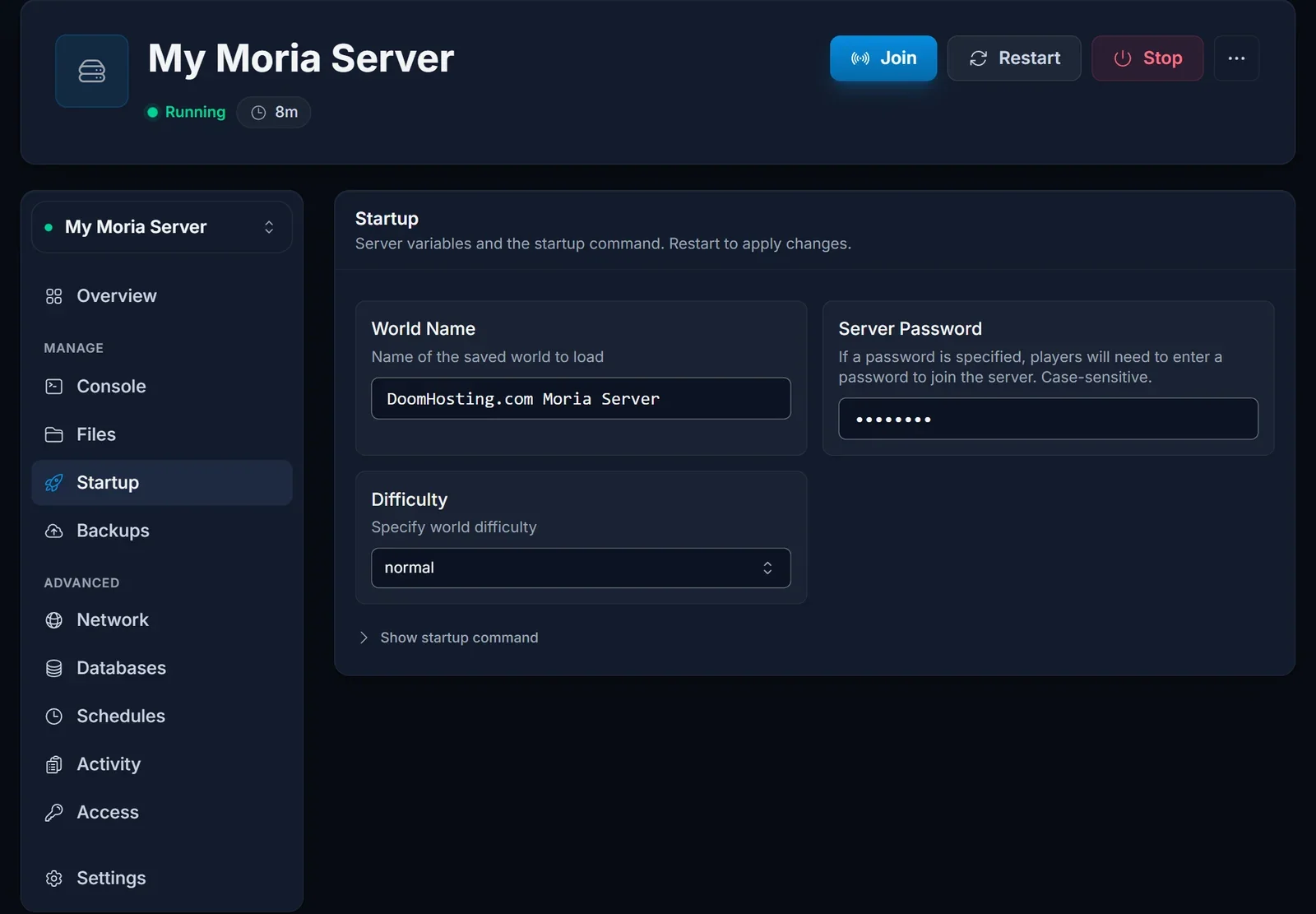
- Server Password. Optional. Leave it empty for an open world, or fill it in and every player is asked for it on the way in.
- World Name and Difficulty. Not needed to connect, but they describe the world your players land in.
Change the password here rather than in MoriaServerConfig.ini. The Startup value is written into that file on every boot, so an edit made directly in the file is overwritten at the next start. Startup values are read at boot, so restart from the Console tab after any change.
Joining
- Launch Return to Moria and pick Join World
- Open Advanced Join Options
- Under Direct Join, enter the IP and the port from the connection card
- Confirm, and type the password if the server asks for one
Troubleshooting
The connection fails or times out. Check the port first: it has to be there, exactly as the connection card shows it. Then make sure the server is Running. The game talks over UDP, so a network or firewall that blocks outgoing UDP stops the connection too.
The game says your version does not match. One side is behind. Restart the server so it updates on boot, and update the game on the player's side.
The password is rejected. It may have changed. A new password only takes effect after a restart, so the value on the Startup tab right now is the one that counts.
Everyone gets in except one person. That account may be marked Blocked in MoriaServerPermissions.txt. Only the server owner can change that, and the server has to be stopped while they do.
The server is full. Eight players are online. Someone has to leave before the next one can enter.
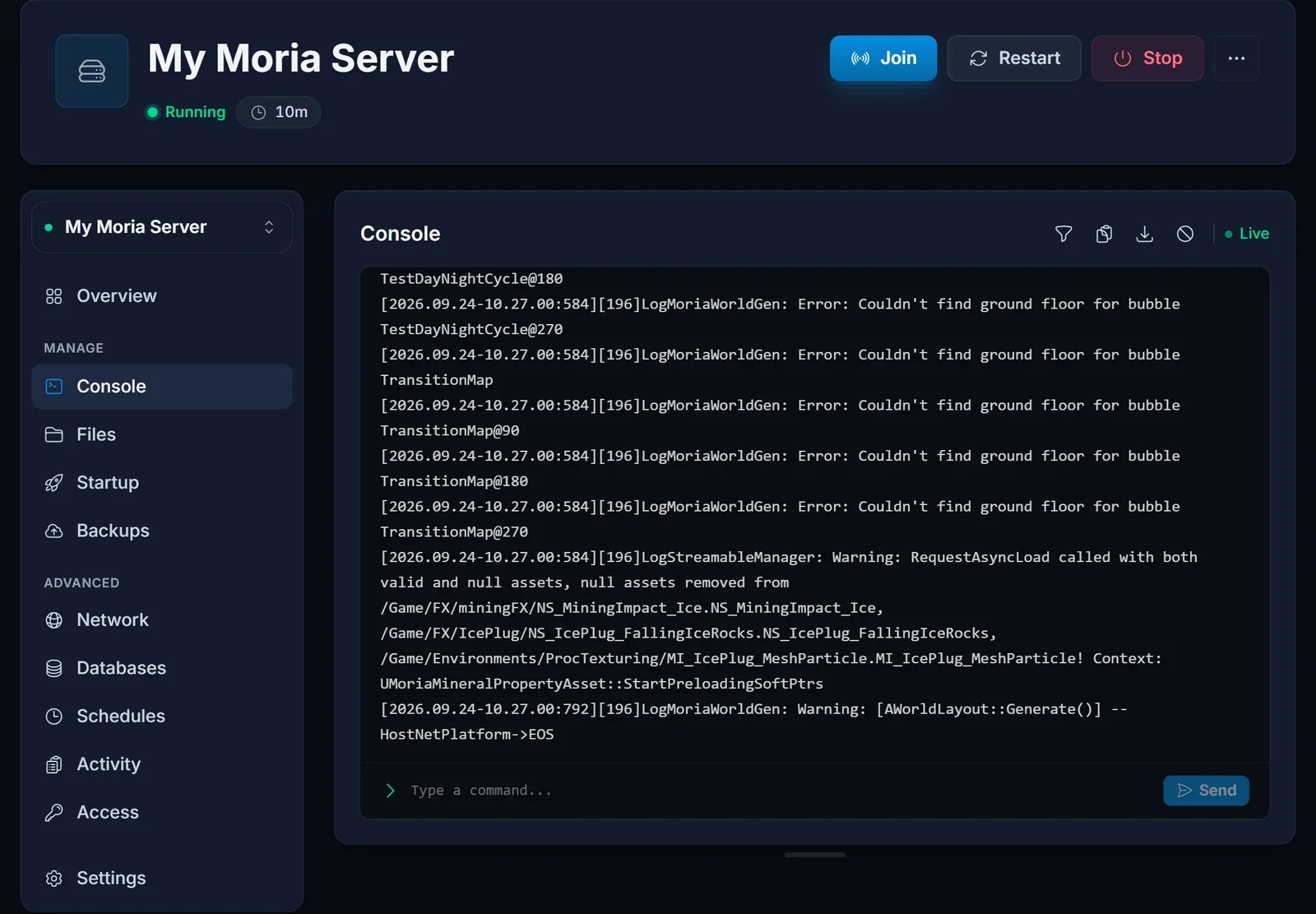
The Console is full of errors. Lines such as LogMoriaWorldGen: Error: Couldn't find ground floor for bubble show up on every boot. They come from world generation, are harmless and do not block anyone from joining.
Frequently asked questions
Is there a server browser I can search instead? No. Direct Join with the IP and port is how you get onto a dedicated server.
How many people can play at once? Eight at the same time. The world itself has no member limit, so a bigger group can share it as long as no more than eight are online together.
Does every player need the password? Only if one is set. With the Server Password field empty, anyone with the address can join.
Why did my password edit in the config file disappear?
The Startup tab owns that value and writes it into MoriaServerConfig.ini on every boot. Set it on the Startup tab instead.
Port included, server running and still no way in? Contact support with your server address and we will check from our side. No server yet? See our Return to Moria server hosting plans.
