
Squad has no console command for joining an IP directly, so you find servers through the in-game browser or through Steam's server list. Either takes under a minute once you know where to look.
The in-game browser
- Launch Squad and click Servers in the main menu
- Type the server name, or part of it, into the search box
- Clear any map, region or hide-full filters if the list looks suspiciously short
- Double-click the server, or select it and press Join
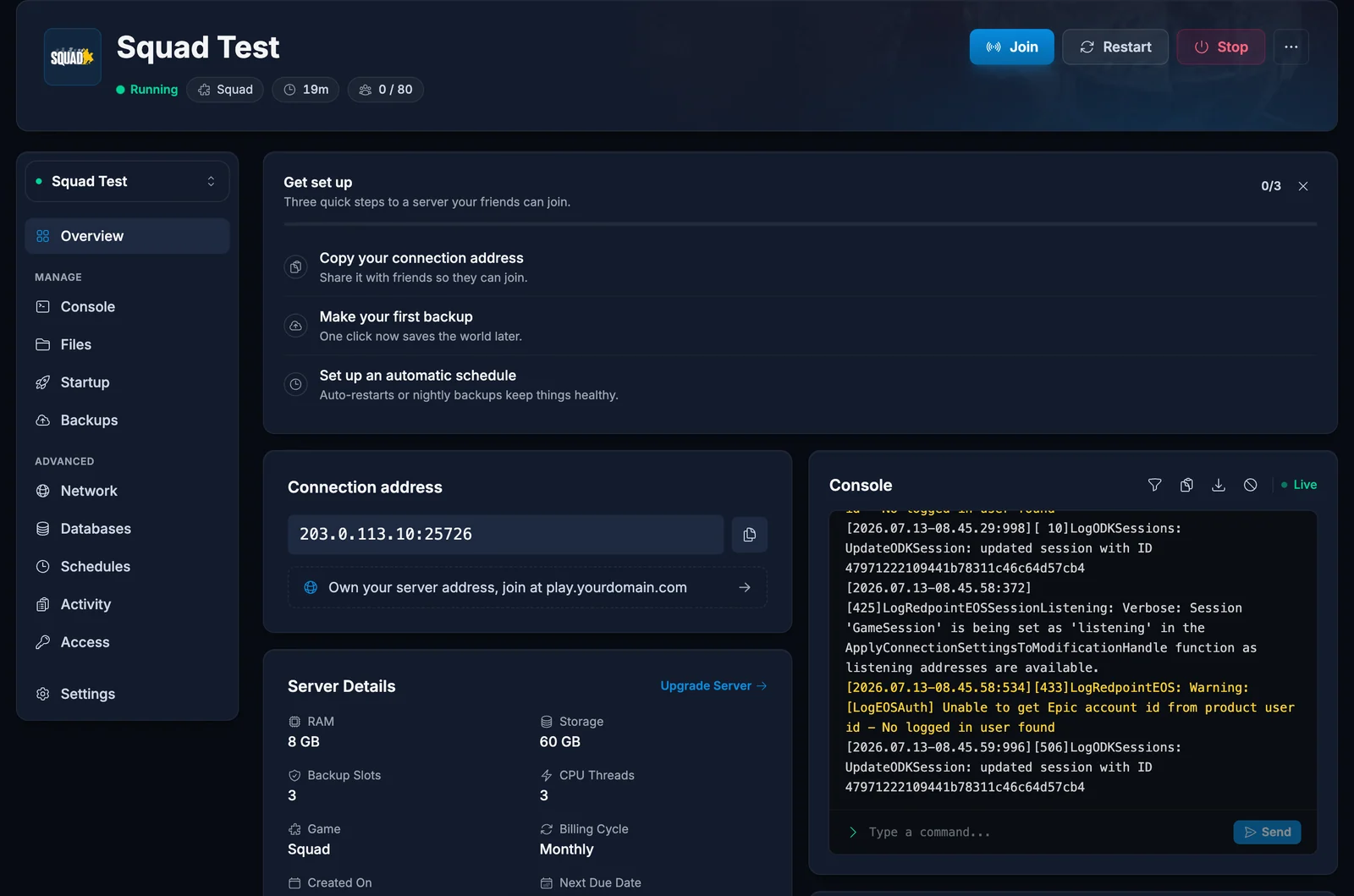
If the server has a password, Squad asks for it before connecting. As the owner you will find the address and the name on the Overview tab of your control panel.
That filter step is worth taking seriously. The browser keeps filters between sessions, so a filter someone set weeks ago can hide a server they are actively searching for by name.
Steam server favourites
Steam's list works even when the in-game browser is being slow, and it keeps your regular servers together.
- In Steam, open View, then Game Servers
- On the Favorites tab, click the plus icon
- Enter the address as
IP:portusing the game port, for example135.181.2.161:25598 - Add it, then join from the Favorites tab while Squad is running
Squad answers Steam's queries on its game port, so the address from the panel works as printed. That is worth stating because several games do the opposite and want a separate query port, and people carry that habit over and then wonder why nothing answers.
The first join takes longer
Squad downloads the current map layer's data and builds a shader cache the first time you connect to a server. A first join can sit on the loading screen noticeably longer than every join afterwards. That is normal and not a sign of a problem.
Joining a modded server
If the server runs Steam Workshop mods, you need the same ones. Squad prompts you to download anything missing when you join. Accept, let it finish, then join again. Large mod sets can take a while the first time, so start that before everyone is waiting on you.
Troubleshooting
The server is not in the list. Clear the filters first, then search the exact name. If it still does not appear, add it through Steam favourites, which queries the address directly and does not depend on the browser having indexed it.
Wrong password. The join password is the server password, not any admin credential.
You connect and are dropped. On a modded server this usually means a mod did not finish downloading. Let Squad complete the download and try again.
A timeout. Check the server is running in the panel. A server that is restarting or still starting up will not answer.
Frequently asked questions
Do my friends need an account with you? No. They need Squad and the address, or your server's name to search for.
Which port do I give people? The one on the connection card. Squad uses the same port for the game and for Steam's queries, so there is only one to share.
Why is my server missing but my friend can see it? Almost always a filter on your side. The browser remembers them per player.
Do all players need the mods installed in advance? No. Squad offers the download when they join. They do need to let it complete.
Still not finding the server after clearing filters? Contact support with your server name and we will check it from our side. No server yet? See our Squad server hosting plans.
