
Picking a different map and adding mods both happen in the Farming Simulator 25 web admin, but there is one setting in our panel that decides what actually loads when the server boots: Savegame index on the Startup tab. Get that right and everything else in this guide sticks. Get it wrong and the server quietly goes back to your old farm on the next restart.
How the server decides what to load
Every time the server starts, it reads two values from the Startup tab and starts the game with them:
- Savegame index picks the save slot (1 to 20). This is the farm that loads, every boot.
- Map ID is only used when that slot is still empty. A slot that already holds a farm always loads its own map, whatever Map ID says.
So a new map means a new, empty slot. Your existing farm in slot 1 is never touched by changing maps, and you can switch back to it at any time by setting Savegame index to 1 again.
Open the web admin
On the Overview tab in the control panel, the web admin card shows the address, username and password. Open the address in your browser and log in.
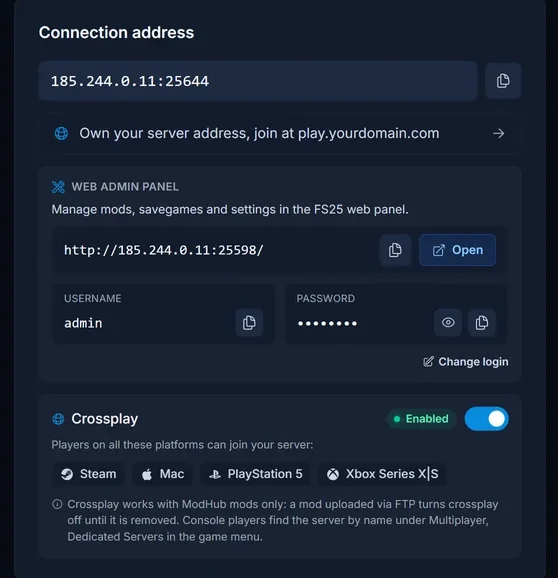
If the page does not open, type the address into the address bar yourself and keep it as http://. Some browsers try https:// on their own, and the web admin does not answer on that. A "not secure" warning is normal for this page.
Start a farm on one of the base maps
The base game ships with three maps: Riverbend Springs (MapUS), Zielonka (MapEU) and Hutan Pantai (MapAS).
- Stop the server in our panel
- On the Startup tab, set Savegame index to a slot you have not used yet, for example
2 - Set Map ID to the map you want, for example
MapEU - Start the server
The game creates the new farm on that map in the empty slot. Nothing else to do.
Add mods from ModHub inside the web admin
The quickest way. Open MODS in the web admin and scroll to New Mods. The dropdown filters the GIANTS ModHub catalogue by category, including separate categories for maps. Click the blue download arrow next to a mod and it is downloaded straight onto your server, usually in a few seconds. It then appears in the list at the top of the page.

Upload a mod zip yourself
For mods from outside ModHub, or a zip you already have, put the file in the data/mods folder. Use the Files tab in our panel, or SFTP if you have a lot of them.
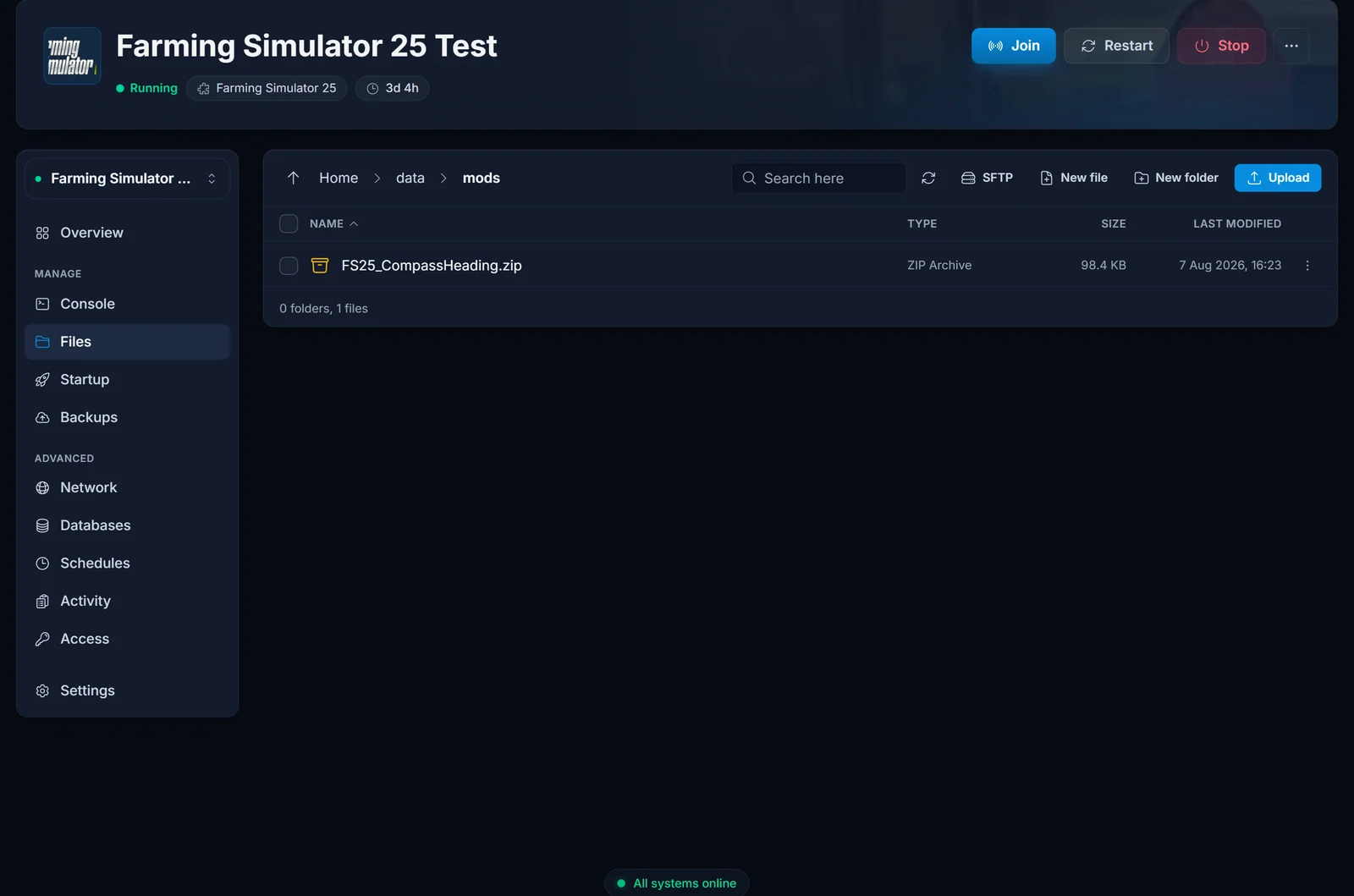
Upload the zip exactly as you downloaded it. Farming Simulator reads mods as zip files, so an unpacked folder is ignored.
Turn the mods on for your farm
A downloaded mod does nothing until it is activated for the savegame.
- Go to HOME in the web admin and press Stop at the bottom of the Configuration section
- Scroll down to Activate Mods, tick the mods you want and press Activate
- Press Start
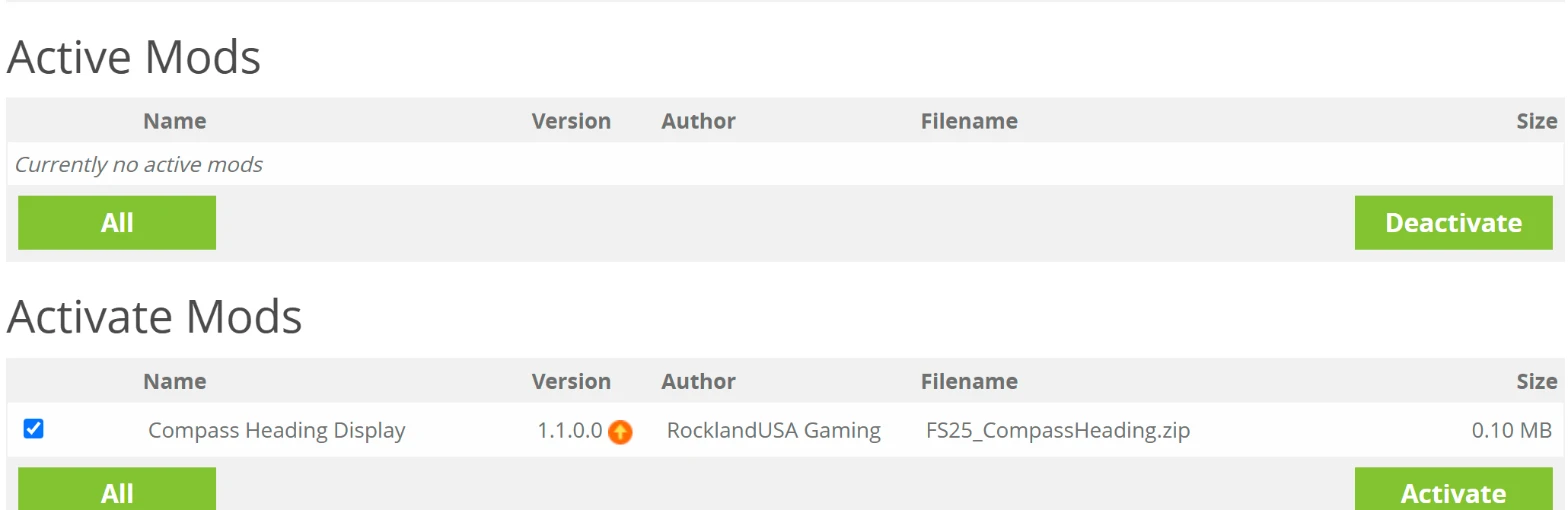
Players who join download the server's mods automatically. They do not have to install anything themselves.
Start a farm on a mod map
A mod map installs like any other mod, through New Mods or the data/mods folder. Choosing it works through the web admin:
- Press Stop on HOME
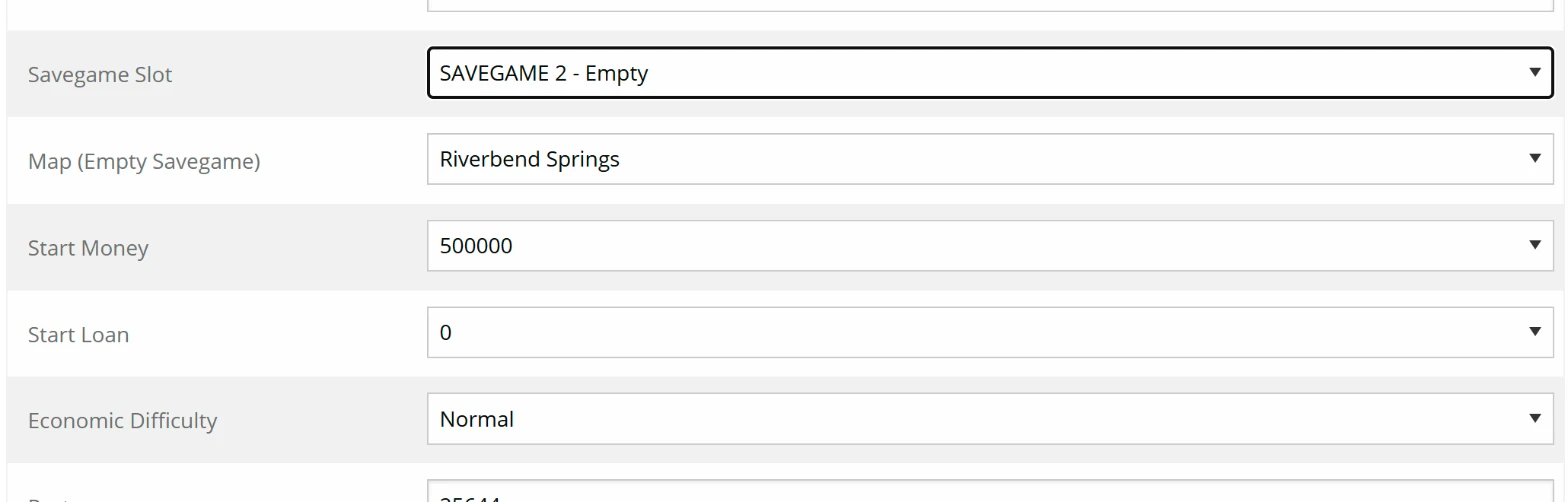
- Under Savegame Slot, pick an empty slot
- Under Map (Empty Savegame), choose the mod map. It shows up in the list once it is installed
- Activate the map mod, plus any mods it needs, and press Start
- Then set Savegame index on our Startup tab to that same slot number
Step 5 is the one people skip. Without it, the next restart loads the slot from Startup again, and your new farm seems to be gone. It is not gone, it is just not the slot that loads.
Crossplay and mods
PlayStation and Xbox players can only join while every active mod comes from ModHub. A mod from another site, or one you built yourself, turns crossplay off for the server until it is deactivated. If console players are part of the group, stick to New Mods in the web admin.
Troubleshooting
The farm reset to the old one after a restart. Savegame index on the Startup tab still points at the old slot. Set it to the slot your new farm is in.
I changed Map ID and nothing happened. The slot already has a farm. Map ID only applies to an empty slot, so pick a new Savegame index as well.
A mod is listed but does nothing in game. It is installed but not activated. Stop the game on HOME, activate it and start again.
The mod does not appear at all. Check that you uploaded the zip itself into data/mods, not an unpacked folder or a subfolder.
Players get a mod mismatch when joining. They have an older copy of that mod installed locally. Deleting their local copy fixes it, and the game then fetches the server's version.
DLC maps and machines are missing. Rented Farming Simulator 25 servers run the base game only, without DLC.
Not sure how players find the server once the farm is running? See how to join a Farming Simulator 25 server. No server yet? Take a look at our Farming Simulator 25 server hosting.
