Cancelling is something you do yourself, from the panel, in about a minute. There is nobody to email and no notice period to sit through. The important part is what the word means here: cancelling schedules a stop at the end of the period you have already paid for, and on that date the server and everything on it is deleted. Until then nothing changes, and one button puts it all back.
Do this first: get your files off the server
Deletion on the due date is permanent and it takes the backups with it. So before you cancel, pull down anything you would miss.
- Small worlds and config files. Open the Files tab and download them straight from the browser.
- Large worlds. Use SFTP instead. A browser download of a multi-gigabyte world tends to stall, and an SFTP client resumes. The setup is in connecting with SFTP.
- Backups. Anything in the Backups tab is deleted together with the server. Download the ones you want to keep, or they go when the server goes.
A good habit is to take one fresh backup, download it, then open the file on your own machine to confirm it is not empty. Do that before you touch the cancel button, while the server is still running.
Step 1: open Settings and find the Danger zone
Log in on our website, open the game panel, pick the server, and click Settings at the bottom of the server menu. The Danger zone section holds two things, so read the labels: Reinstall server wipes and rebuilds the server you are keeping, Cancel Server is the one that ends the service.
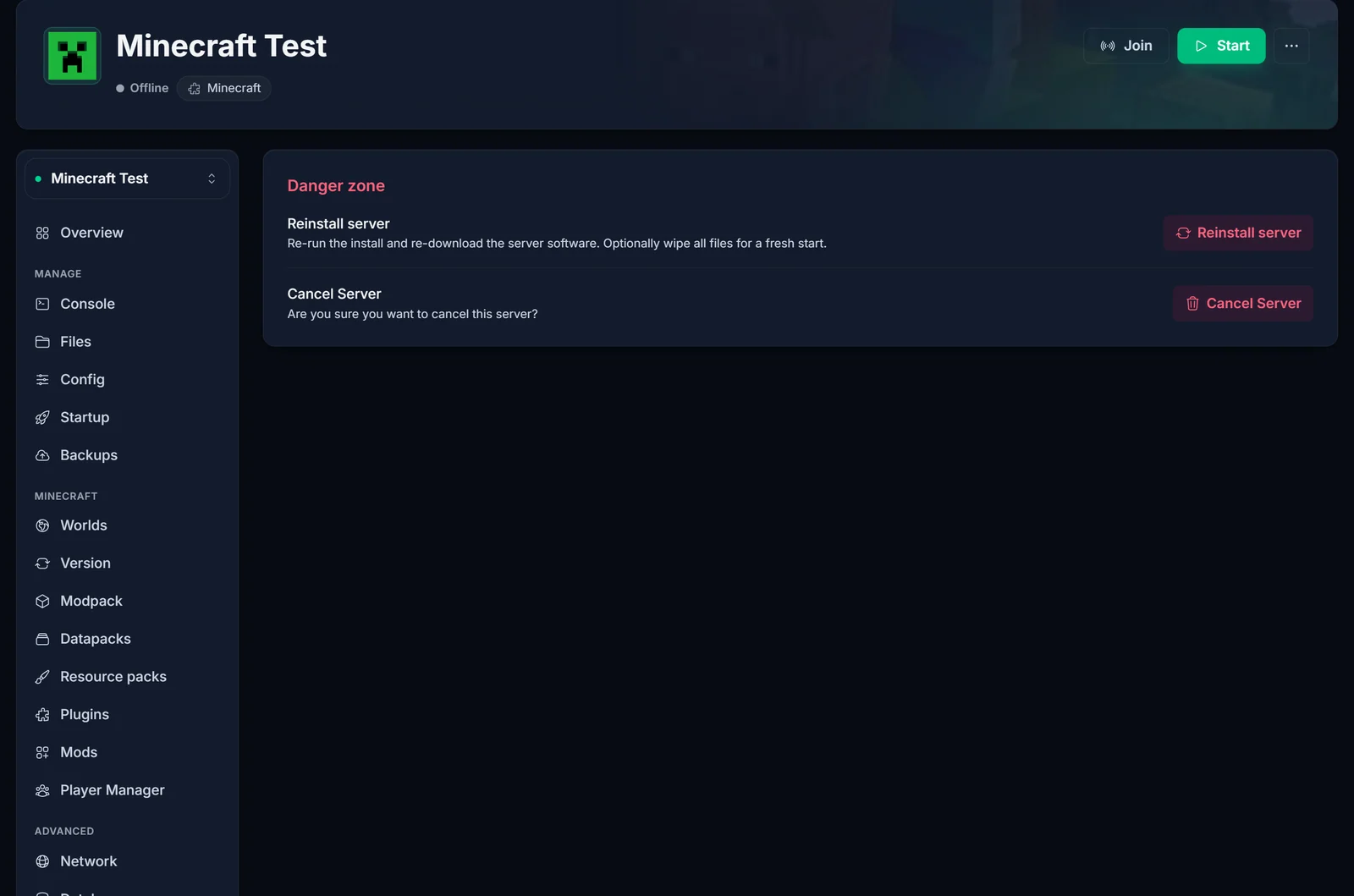
Only the account that owns the service sees this button. If the server was shared with you, the owner has to do it.
A suspended or overdue server can be cancelled too, which is usually exactly what someone wants when an invoice went unpaid. The server page shows the cancel option in that case as well.
Step 2: pick a reason
Six reasons, one click, then Continue. It is worth being accurate here rather than picking the first option, because the panel reacts to your answer.
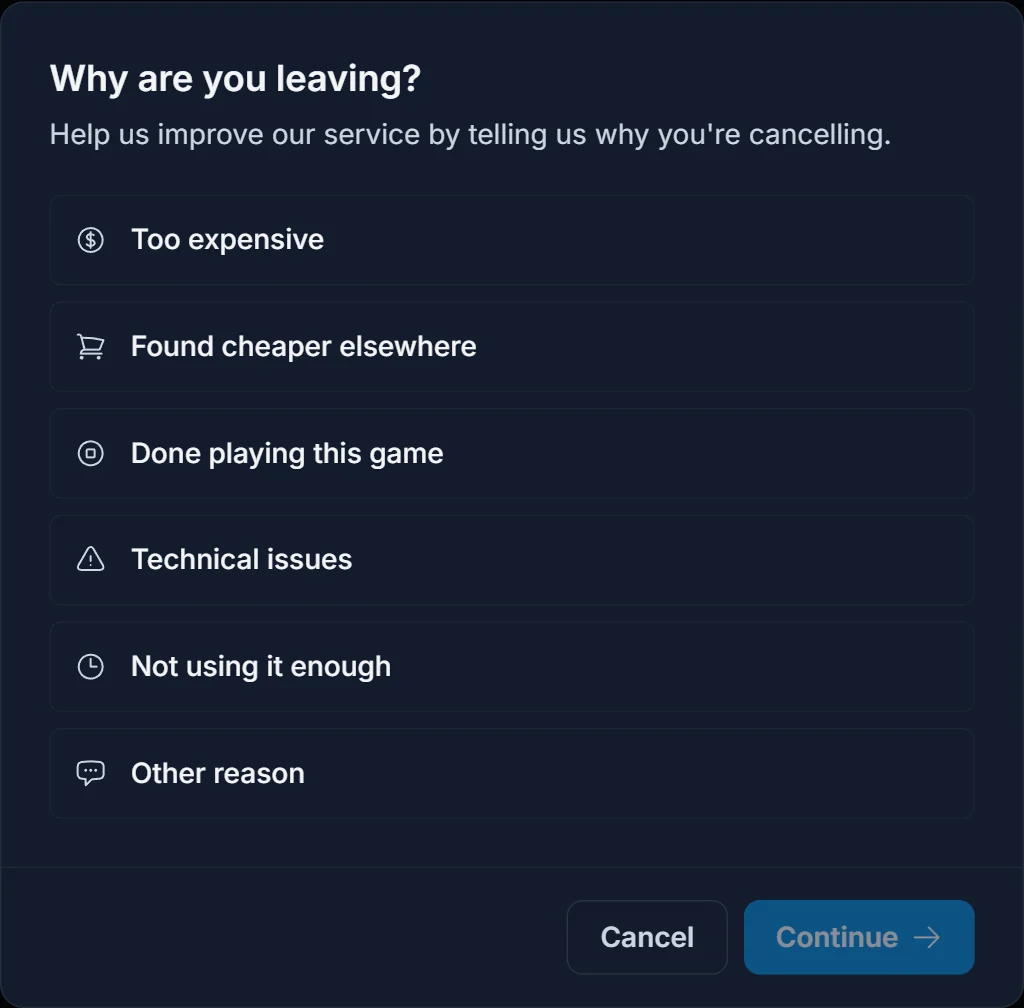
Choose Too expensive or Found a cheaper alternative and the next screen offers a price match: you tell us the price you found, and it reaches our team as a support ticket. Choose Technical issues or Other reason and it offers help from our team instead. Accepting opens the live chat (the chat bubble in the corner of the site) with a short message about your server already sent, so you do not have to explain it from scratch. You can also open a support ticket and describe the problem there. Nothing is forced on you, and Proceed with Cancellation takes you on to the last step.
Choose Done playing this game or Not using the server and there is normally no offer, because there is nothing sensible to offer someone who has simply finished. You go straight to the confirmation. If your service qualifies for a loyalty discount, that offer can show up here for any reason.
Step 3: confirm, with the date in front of you
The last screen states the exact date the server will be deleted, which is the end of your current billing period, and repeats the reason you picked. The Additional Comments box is required and short is fine.
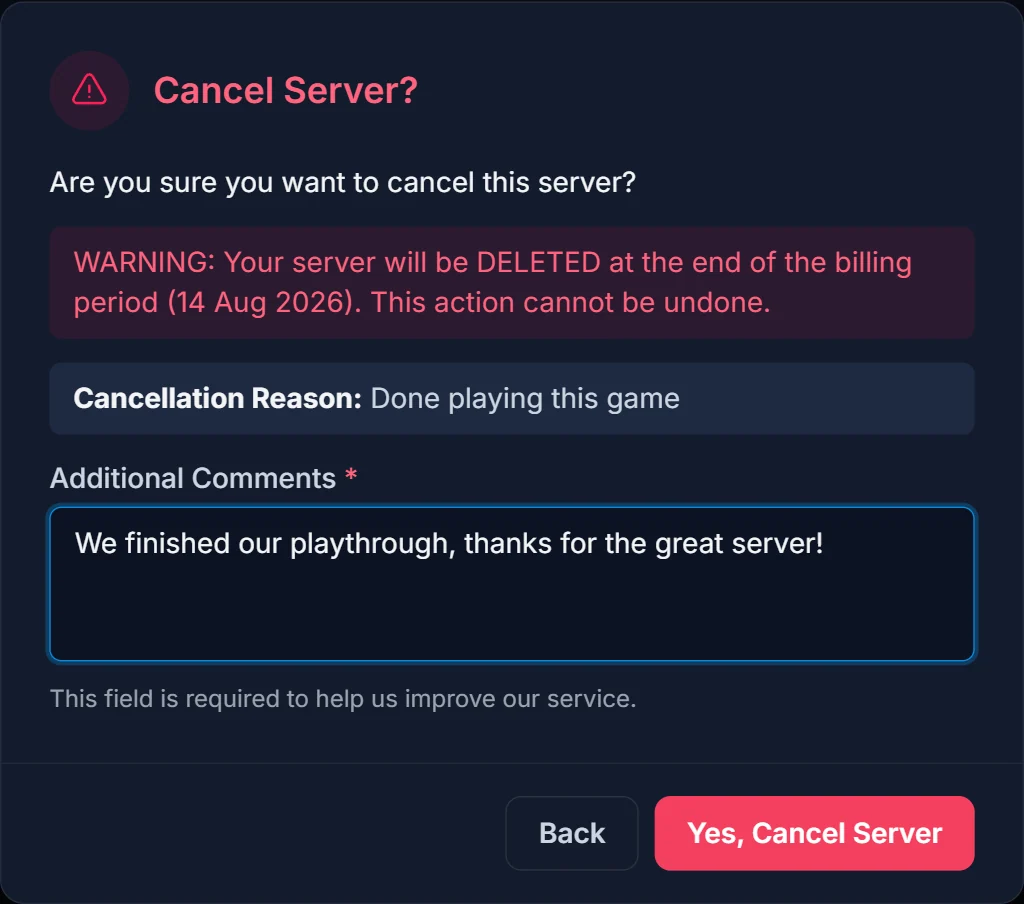
Click Yes, Cancel Server and it is scheduled. No queue, no approval, nobody reviewing it.
What happens next
- The server stays online and fully playable until the deletion date
- No further renewal invoices are created for it
- On that date the server, its files and its backups are deleted automatically
Your confirmation is the Cancellation Scheduled banner that now sits at the top of the server page. Check that it is there, because that is what tells you the request registered. No cancellation email is sent.

Changed your mind
Press Keep Server in that banner any time before the deletion date. The cancellation is withdrawn immediately, the server carries on as though nothing happened, and normal renewal invoices start again. There is no penalty and no limit on changing your mind.
Common questions
Can I keep playing after I cancel? Yes. You paid through the end of the period, so the server runs normally until the date shown in the confirmation.
Will I be charged again? No. Scheduling the cancellation stops the renewal invoices for that service.
Can I get my files back afterwards? No. The deletion is permanent, which is why the download step comes first.
I want a different game, not out. Then do not cancel yet. Ask us in the live chat or in a support ticket whether your service can be moved to the new game and whether your plan fits it.
Does this work for a VPS? Yes. A VPS is cancelled from its own page under VPS in the panel, with the same dialog and the same end-of-period rule.
I cancelled by accident and the date has passed. Then the service is gone and so are the files. Contact us quickly anyway, in the live chat or with a support ticket, because how much can be done depends entirely on how long ago it happened.
Still deciding? The live chat in the corner of the site reaches a person, and so does a support ticket. Telling us what is wrong costs nothing.