
Arma Reforger gives players two routes onto your server. They can type the address straight in with Direct Join, or look the server up by name in the in-game list. Direct Join is quicker and does not depend on the public list at all, so it is the one to reach for first.
Before anyone can join
The server has finished starting. On a fresh server, or after you add mods, Reforger downloads content before it opens for players. The Console tab shows where it is.
Your players have the address, or the exact server name. Plus the password, if you set one.
Where the address lives
Open your server in the control panel. The connection card on the Overview tab shows the address and port, with a button to copy it.
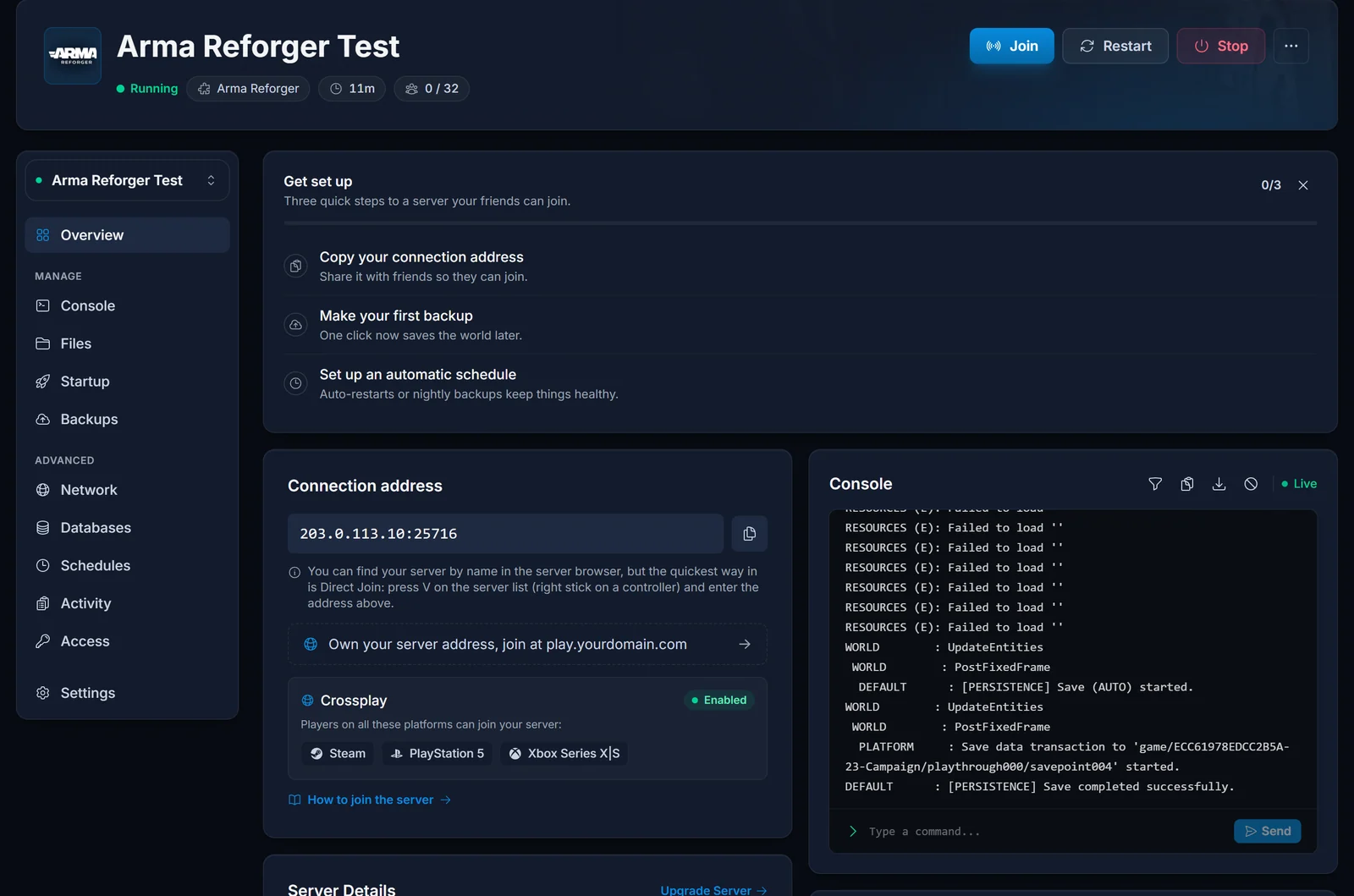
That port is the game port, and it is the only one players ever need. Reforger also uses a separate query port so the public list can read the server's details, but nobody types it anywhere. If someone tries to connect with it, they get nothing.
Direct Join
- Start Arma Reforger and open Multiplayer
- On the server list, press V. With a controller, press the right stick
- Type the address and port into the Direct Join box
- Select Connect
There is no visible Direct Join button on that screen, only the key. That is why so many players believe Reforger cannot connect by address. It can, and it also works while a newly started server has not shown up in the list yet.
The in-game server list
Your server shows up in the list under the Server Name set on the Startup tab.
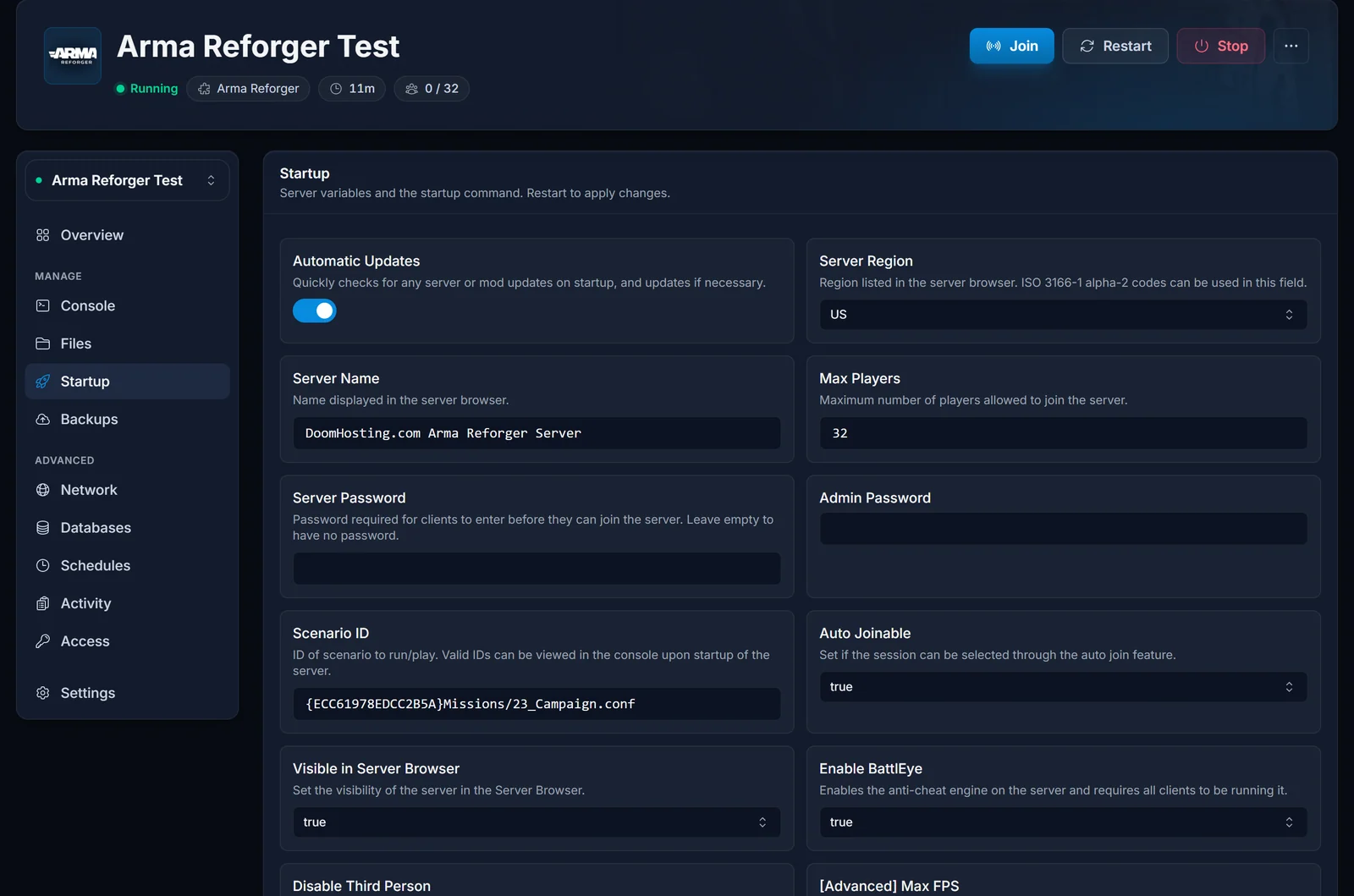
- Server Name. The name players search for. Pick something distinctive, because the list is full of servers still carrying a default name.
- Visible in Server Browser. Must be on for the server to be listed at all. With it off, Direct Join is the only way in.
- Server Password. Leave it empty for an open server. With a password set, players are asked for it as they connect.
The admin password is a different field. It is not for joining, only for running #login in chat once you are already on the server.
Startup values are read at boot, so restart the server from the Console tab after changing any of them.
Xbox and PlayStation players
With crossplay on, Xbox Series X|S and PS5 players use the same in-game list as PC players, and Direct Join works from a controller through the right stick.
Two limits are on the platform side, not yours. A console can join a server but never host one. And PlayStation has its own rules for modded servers, so a server with many mods can stay out of reach on PS5 even when every setting on your end is right.
Troubleshooting
The server is not in the list. Check that Visible in Server Browser is on, and that the server has finished starting. A server still downloading mods is not listed yet. Use Direct Join in the meantime.
Direct Join fails to connect. Make sure the player is using the port from the Overview tab, not the query port, and that the server is actually running in the panel.
Players get a mod mismatch. The game downloads the server's mods as they join. Let that download finish instead of cancelling it.
It worked yesterday and now nobody can join. After a game update, client and server must run the same version. Restart the server so it picks up the new build.
A setting change did nothing. Startup values are read at boot. Restart the server.
Frequently asked questions
Which port do I give my friends? The one shown on the Overview tab. That is the game port.
Can console players join a server I run? Yes, through the list or Direct Join. They cannot host one themselves.
Is the admin password the same as the join password?
No. The join password is Server Password. The admin password is only for #login once you are in.
Server running but nobody can get in? Contact support with your server name and we will look from our side. No server yet? See our Arma Reforger server hosting plans.
