
Avorion players reach a hosted server through the in-game server list, by name. The address on the Overview tab is correct, but typing it into Join via IP turns up nothing, and that is expected rather than a fault. So the one thing your players need is the exact server name.
Before anyone can join
The server has finished booting. A healthy start ends in the Console tab with Galaxy initialized. followed by Server startup complete. Until those two lines appear, there is nothing to find.
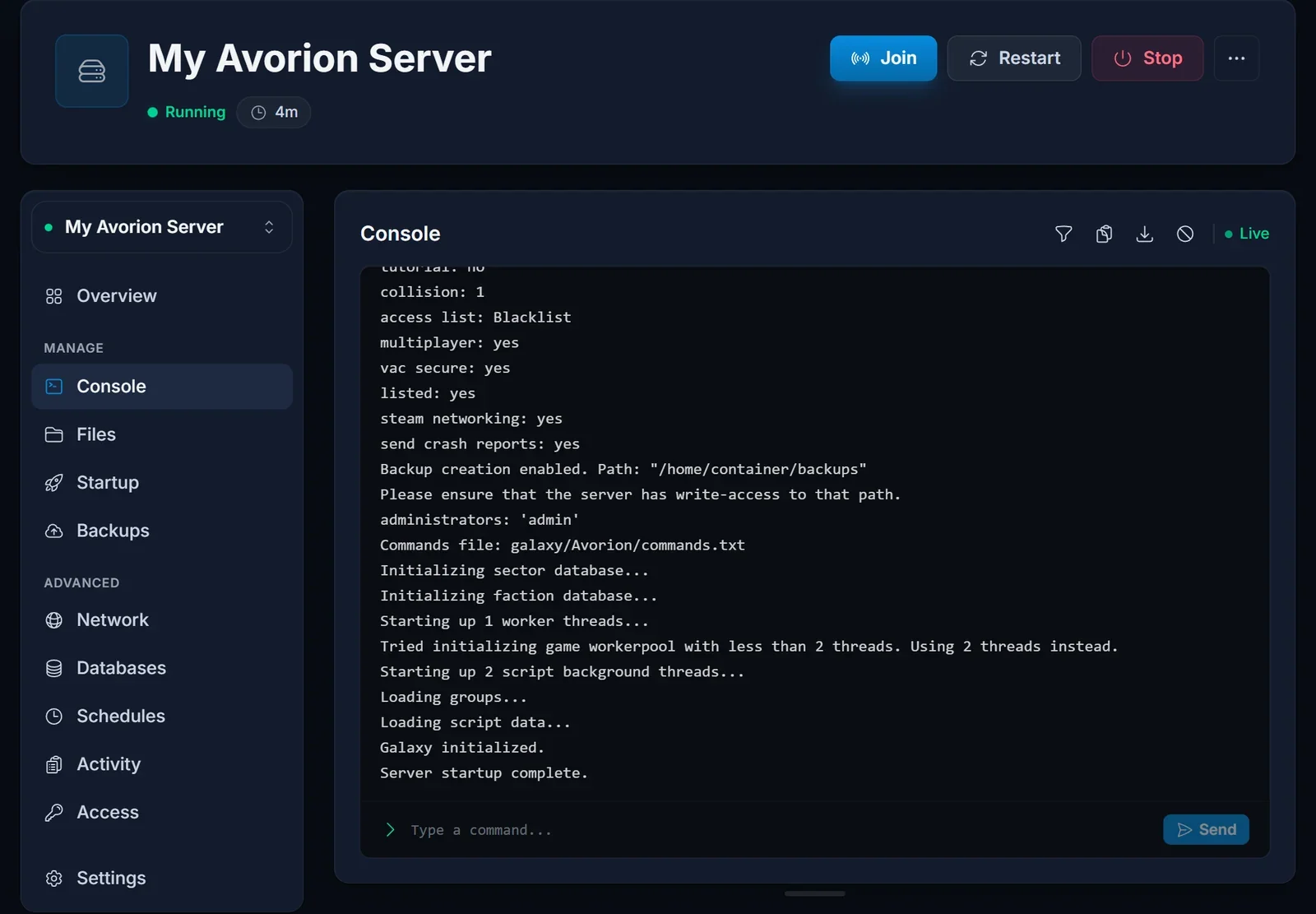
It is set to be listed. On the Startup tab, List Publicly must be true. It ships that way, but if someone turned it off, the server disappears from the list completely.
Your players know the name. Not roughly, exactly. Hundreds of public servers share the same list, so a short and unusual name is far easier to find than a generic one.
Where the details live
Open your server in the control panel and go to the Startup tab.
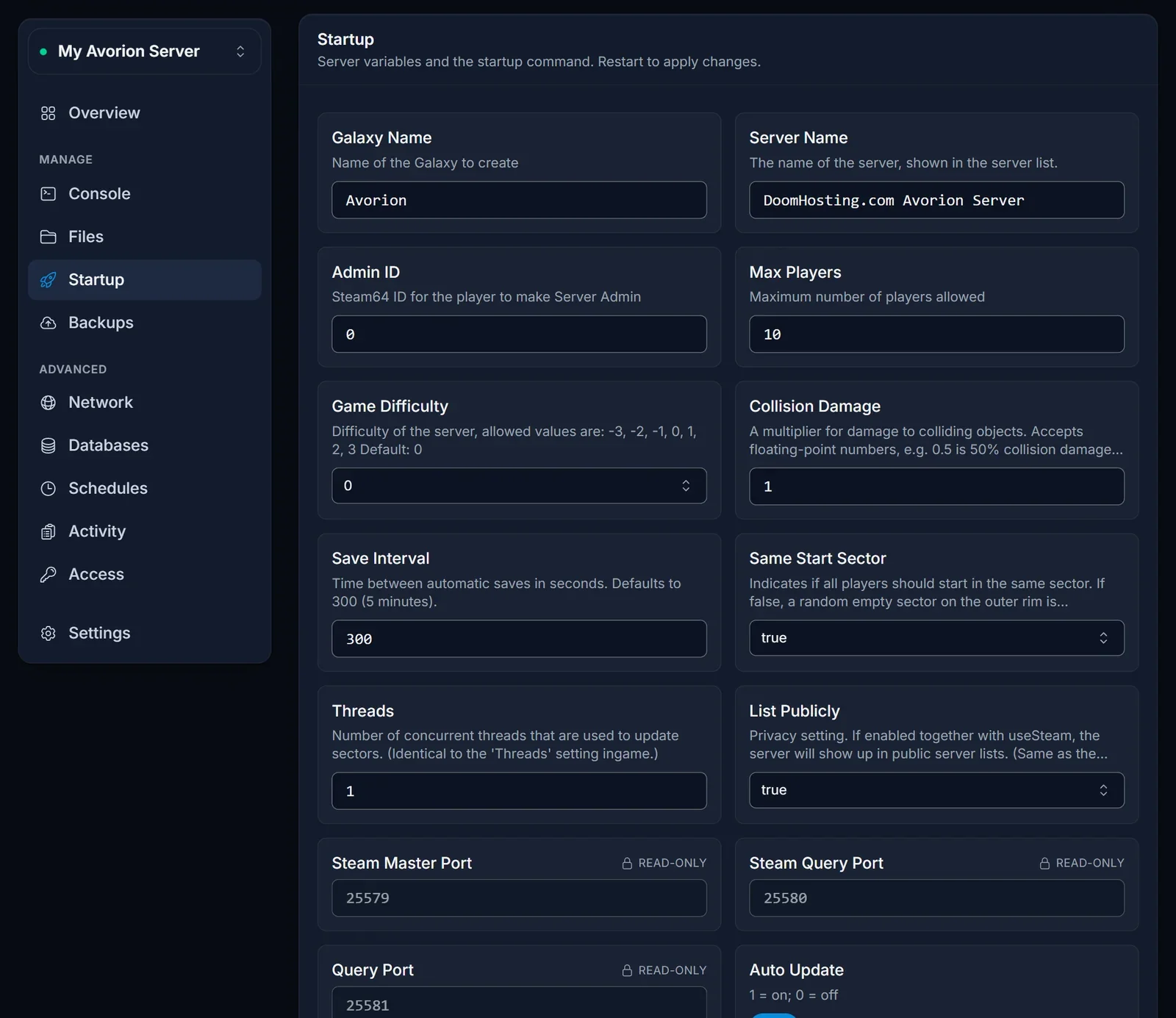
- Server Name. What shows up in the list and what your players search for.
- List Publicly. Keep it at
true, otherwise the server never appears in the list. - Max Players. The number of slots. It starts at 10 and goes up to 64.
- Auto Update. With this on, the server pulls the current game version every time it boots.
Startup values are read at boot. After changing any of them, restart from the Console tab or the old values remain in effect.
What the address on the Overview is for
The Overview tab shows whether the server is running, how many players are online, and the server address with a copy button.
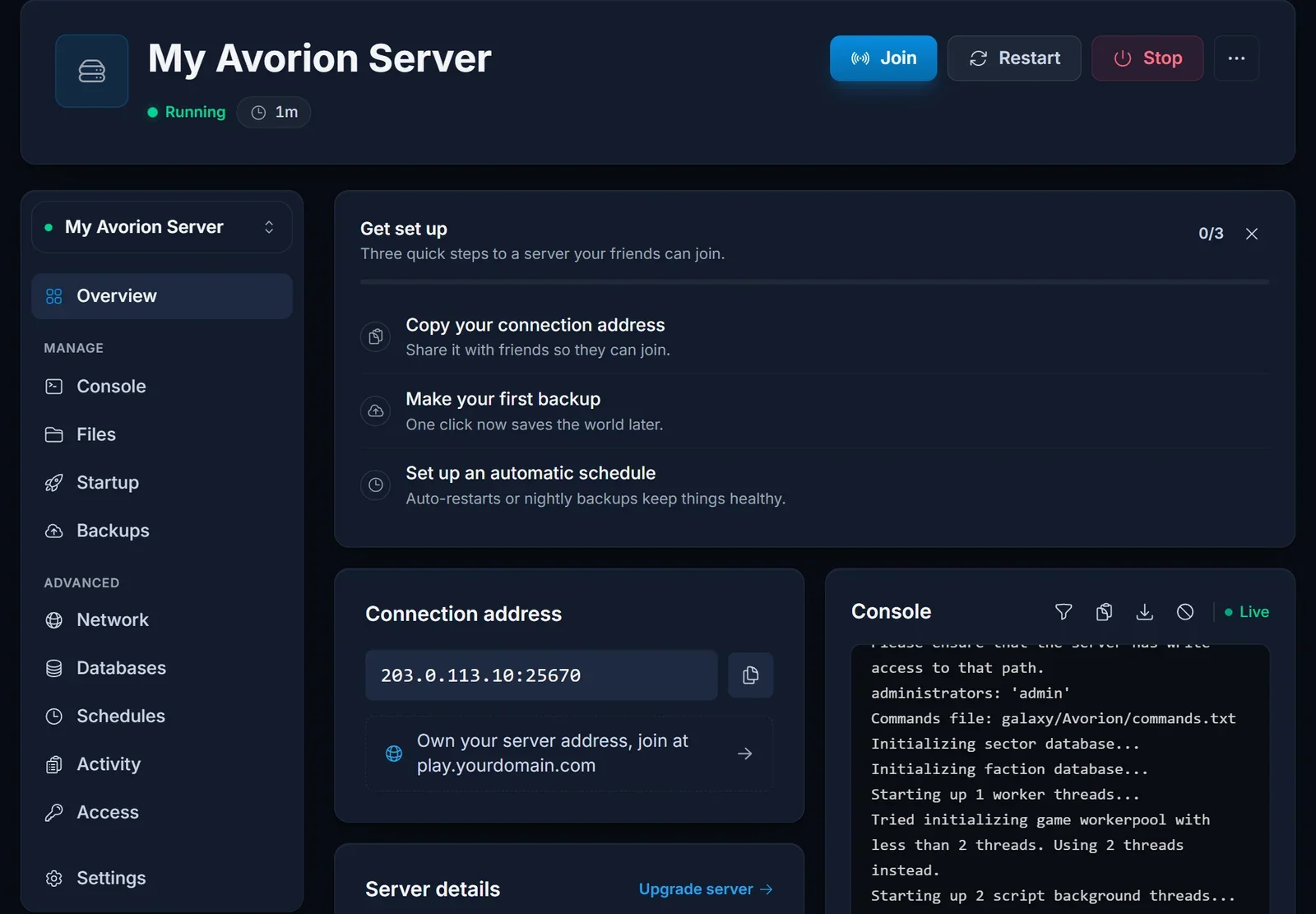
Keep the address for your own use: recognising the server, or quoting it in a support ticket. Your players do not need it.
Why Join via IP stays empty
Avorion looks for a server on its default query port. On a hosted machine many servers run side by side, so each one is given its own query port instead, and the game cannot find it through the direct window. The server even says so in the Console on boot:
Players won't find this server in the 'Join via IP' and 'Join LAN' windows. Players will be able to join via the server browser.
Join LAN only scans your local network, so it will not show a hosted server either. The server list is unaffected and works normally.
Joining
- Launch Avorion and open the multiplayer server list from the main menu
- Type part of the server name into the search or filter field
- Pick the server from the results and join
When the server uses Steam Workshop mods, the game fetches them during the first connection, so that join takes longer. Later joins reuse the downloaded files.
Troubleshooting
The server is not in the list. Check the Console for Server startup complete. and confirm List Publicly is true. Right after a restart the list can lag a little, so refresh it before digging further.
Searching for the name finds nothing. Search for a shorter piece of it and compare the spelling with the owner. A renamed server only shows the new name after a restart.
It worked yesterday and now the connection fails. Your game most likely updated and the server did not. Restart it with Auto Update on so it downloads the matching version. If the server runs the beta branch, every player has to switch to the same branch in Steam.
The server is full. Raise Max Players on the Startup tab, up to 64, and restart. The Overview shows how many are online.
A setting change did nothing. Startup values are read at boot. Restart the server.
Frequently asked questions
Can I give my friends the IP instead? Not for a hosted server. Join via IP expects the default query port, which a hosted server does not use. The server list is the way in.
Do players need anything besides the name? The same game version as the server, the same branch if it runs the beta, and room for the mods if it uses Workshop content.
How many players can join? Up to 64, set with Max Players on the Startup tab. The default is 10.
Why does Join LAN not show it? Join LAN only looks at your home network, and a hosted server is not on it.
Server booted, listed publicly and still missing? Contact support with your server name and we will check from our side. No server yet? See our Avorion server hosting plans.
