
The most common reason someone cannot get onto a FiveM Enhanced server has nothing to do with the server. Cfx.re built Enhanced as its own platform, with its own client, so a player who launches the FiveM they have used for years is knocking on the wrong door. This guide starts with that check, then shows server owners where the address lives and gives players three ways to connect, from a one-click link to a typed command.
Check the edition first
FiveM Enhanced only talks to the Enhanced edition of GTA V on PC. Each player needs both of these:
- GTA V Enhanced installed on their PC. A copy of the original (Legacy) PC release does not count.
- FiveM for GTAV Enhanced, which is a separate download from fivem.net. Having the classic FiveM client installed already changes nothing; it cannot reach an Enhanced server, and the reverse holds too.
If half your group plays the older edition, there is no bridge between the two. Decide which edition the community is on before you order, and pick FiveM Enhanced hosting only if everyone has the Enhanced release.
For owners: copy the address
Your players need one string from you: the server IP plus the game port, joined by a colon. A typical address looks like 198.51.100.17:26145.
There are two places to grab it in the game panel:
- Open your server and press Join at the top of the page. A popover shows the address with a copy button next to it.
- Or stay on the Overview page and copy it from the Connection address card.
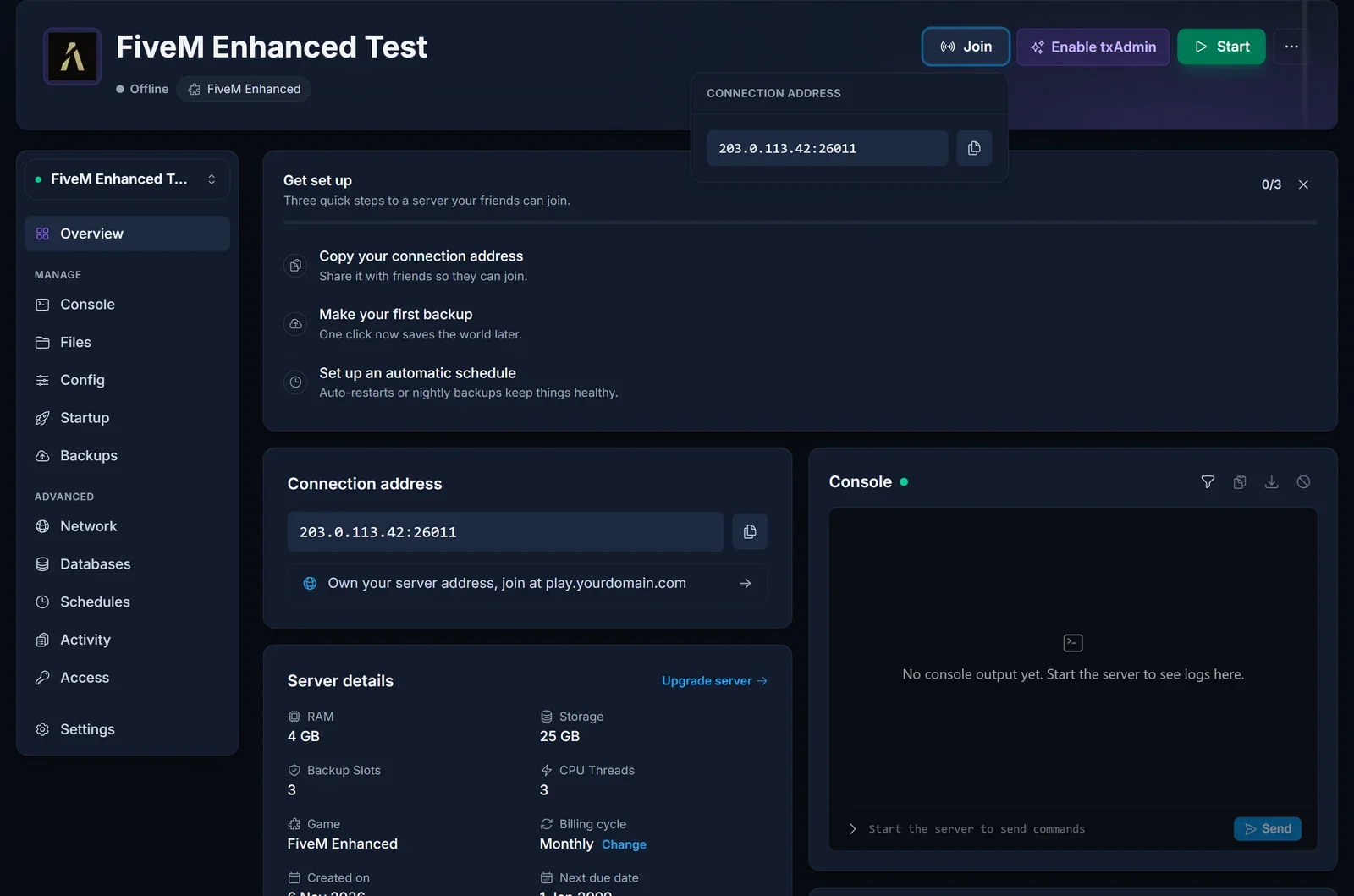
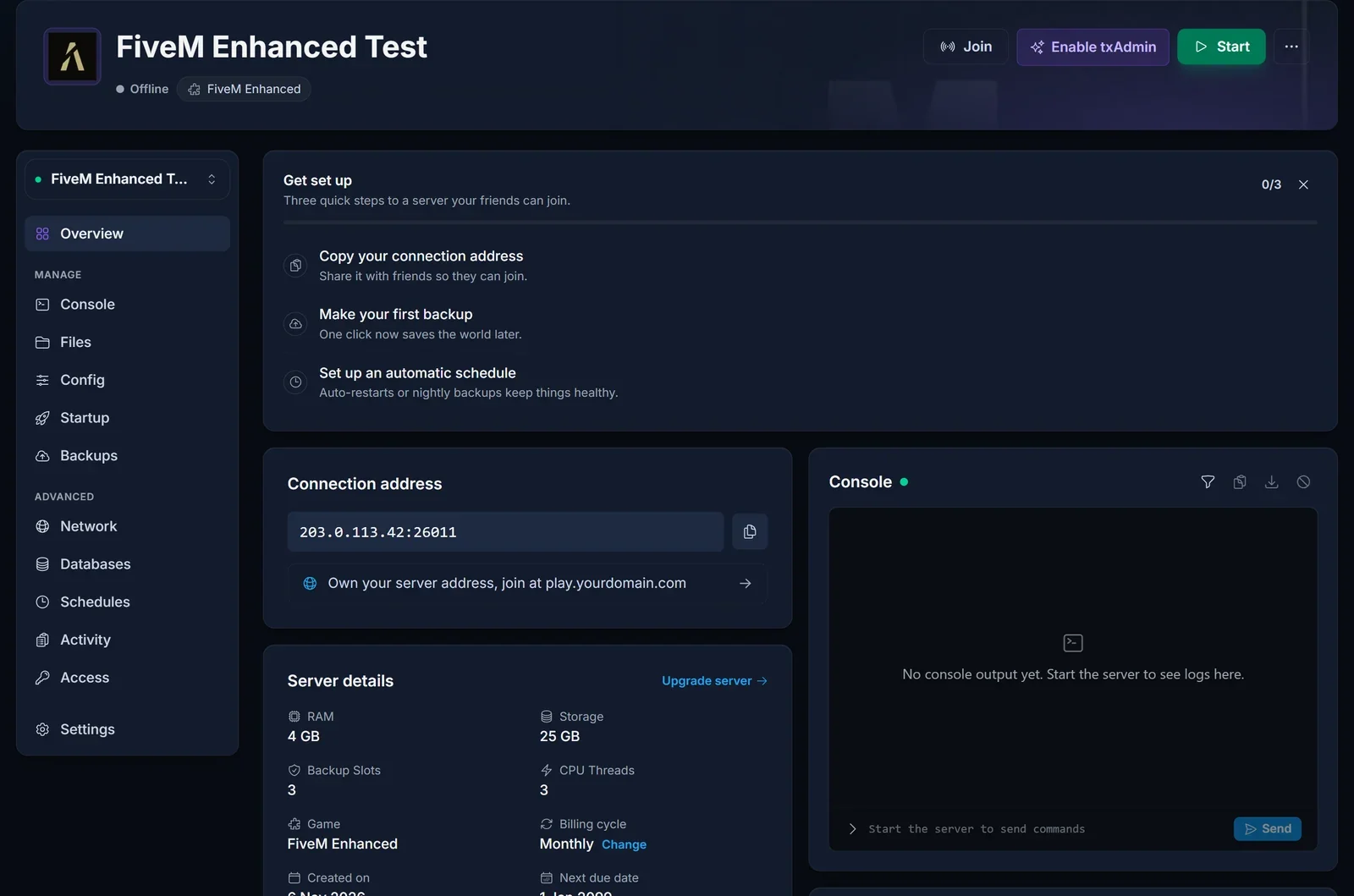
Two mistakes to avoid when you share it:
- Do not drop the port. FiveM assumes 30120 when no port is given, and your server almost certainly runs on a different one. A bare IP leads nowhere.
- Do not send the txAdmin port. The Network tab lists a second port for the txAdmin web interface. It answers browsers, not game clients.
Way 1: the cfx.re/join link
Every time the server boots, the console prints a short link that starts with cfx.re/join/. Open the Console tab, copy that link, and pin it in your Discord or put it on your website. When a player clicks it, FiveM for GTAV Enhanced opens and connects them directly. For a community with many newcomers this is the friendliest option, since nobody has to type anything.
Way 2: direct connect with F8
This route skips every list and filter, so it is the one to fall back on when nothing else works.
- Launch FiveM for GTAV Enhanced and let it finish loading to the main menu.
- Press F8 to bring up the console.
- Enter
connect, a space, and the full address, then press Enter.
connect 198.51.100.17:26145
If the address is right and the server is up, loading starts straight away.
Way 3: find it by name
The in-client server browser lets players search by name. The name it matches is the Server Hostname set on the server's Startup tab, so tell players exactly how it is spelled. A brand new server can take a little while to appear, and a generic name gets lost among thousands of others. If the search comes up empty, use the F8 method instead.
When a player still cannot get in
"It just times out." Look at the Overview page and confirm the server is actually running. Then check the address the player typed: a missing port, a typo, or the txAdmin port all end in the same timeout.
"I can see other servers but not yours." Ask which FiveM they opened. If it is the classic client, they are browsing the Legacy network, where your server does not exist.
"Nobody can join at all." The server may not be booting. An Enhanced server refuses to start without a valid Cfx.re license key, and some resources written for Legacy crash on Enhanced. The FiveM Enhanced setup guide walks through both.
"I connect, then the loading screen never ends." This usually points to a resource rather than the network, often streamed vehicles, maps or clothing that were never converted for Enhanced. Watch the Console tab while the player loads in to see which resource complains.
Stuck on something not covered here? Reach us through live chat on the site or open a ticket at support.
