
The Isle has no box for typing in an IP address. Players find your server by name in the in-game browser, and they only see it at all when their copy of the game is on the same branch as the server. Get those two things right and joining takes about a minute.
Before anyone goes looking
Everyone is on the evrima branch. Rented servers run Evrima. A client still on the Legacy build browses a completely separate set of servers and will never list yours, however long it searches. To switch:
- In your Steam library, right-click The Isle and open Properties
- Go to Betas and pick evrima from the branch dropdown
- Close the window and let the download finish before launching
The server has had time to register. After a start or restart it needs a few minutes before it shows up in the browser. Check the Console tab if you want to see where it is.
Your players have the exact name, and the password if you set one.
Where the details live
Open your server in the control panel. The server name and password are on the Startup tab. Rename it there whenever you like, then restart from the Console tab so the new name is picked up.
The Overview tab and the Join button show the server address with a copy button.
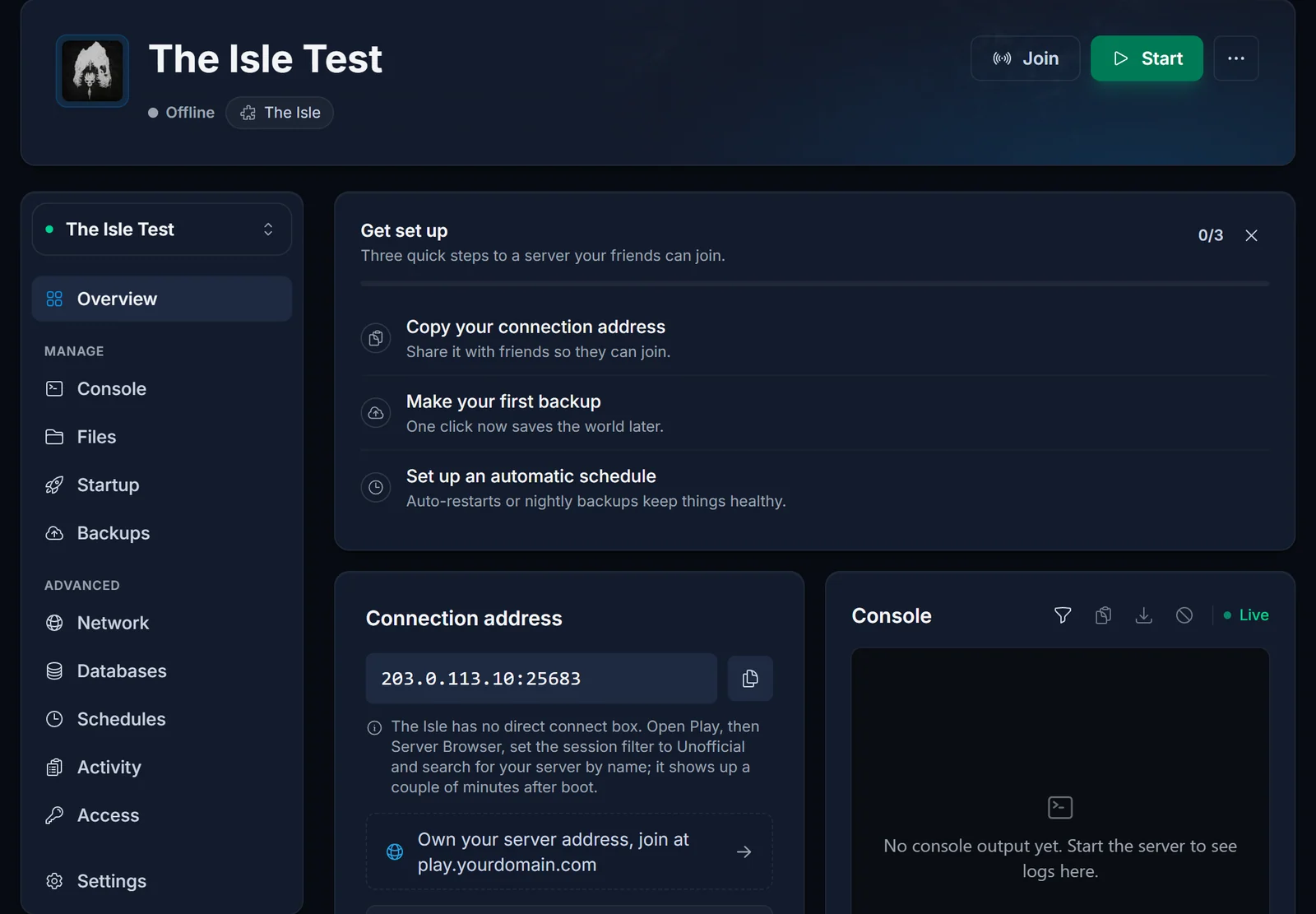
The address is useful for your own tools and for support, but players have nowhere to enter it. The panel also has no live player count for The Isle, so the in-game browser is the place to check who is online.
Joining
- Launch The Isle on the evrima branch and open the server browser from the main menu
- Change the session filter from Official to Unofficial and refresh. Official is the default and only covers servers run by the developers
- Search for the server name
- Connect, and enter the password when asked. A lock icon on the entry tells you a password is coming
What to send your players
Three things cover almost every first-time join:
- The server name, spelled exactly as it appears in the browser
- A note that they need the evrima branch in Steam, since new players rarely know it exists
- The password, if there is one
Troubleshooting
The server is missing from the list. Go through these in order:
- The player is on the Legacy branch. By far the most likely cause
- The filter is still set to Official
- The server was restarted moments ago and has not registered yet
- A game patch came out and the server is still on the old build. Restart it so it updates, then refresh
- Epic Online Services, which the browser depends on, is having an outage. Then the browser is empty for everyone, official servers included, and the only fix is to wait
"Data acquisition failed" when connecting. This points at the server, not the player. It usually means the join queue is switched on but the queue port cannot be reached. Send us a ticket through support and we will check the port allocation.
Refused with a whitelist or blacklist message. The server has its whitelist enabled (bServerWhitelist=true) and the player's SteamID64 is not in WhitelistIDs. The owner has to add it. Not sure where to find the ID? See how to find your SteamID64.
Turned away because the server is full. With the queue enabled the player waits in line and gets in when a slot opens. Without it, the connection is refused until someone leaves.
Frequently asked questions
Can my friends connect with the IP instead? No. The Isle only joins through the server browser, so the name is what they need.
Does Legacy work on a rented server? Rented servers run Evrima, and Legacy clients cannot see Evrima servers at all.
Why did the server vanish after an update? The client updated and the server did not yet. A restart pulls the new build.
Can I rename the server later? Yes. Change the name on the Startup tab and restart. Tell your players, because they will be searching for the old one.
Checked the branch, the filter and the name and still nothing? Contact support with your server name and we will look from our side. No server yet? See our The Isle server hosting plans.
