
Team Fortress 2 Server Hosting
Team Fortress 2 is nine classes, two teams and nearly two decades of maps, from payload pushes on Upward to five control point brawls on Badlands, and it is still one of the best arguments for running your own community server. Your server means your map rotation, your rules, your plugins and none of the randomness of casual matchmaking. Run a Team Fortress 2 server at SpillHosting and get instant setup, custom maps and plugins, full FTP access, DDoS protection and support around the clock.
- PC
- Instant Deployment
- DDoS Protection
- Dedicated Support

Configure your server
Select Memory
2 GB RAM
5$/mo
First month: 3.75 $
- Unlimited Players
- AMD Ryzen 9
- 25 GB SSD NVMe
- DDoS Protection
4 GB RAM
7$/mo
First month: 5.25 $
- Unlimited Players
- AMD Ryzen 9
- 25 GB SSD NVMe
- DDoS Protection
6 GB RAM
9$/mo
First month: 6.75 $
- Unlimited Players
- AMD Ryzen 9
- 25 GB SSD NVMe
- DDoS Protection
8 GB RAM
11$/mo
First month: 8.25 $
- Unlimited Players
- AMD Ryzen 9
- 25 GB SSD NVMe
- DDoS Protection
- 24-hour money-back guarantee
- Instant Deployment
- Dedicated Support
Everything included
Our Team Fortress 2 server includes:
Faster Storage
DDoS Protection
Control panel
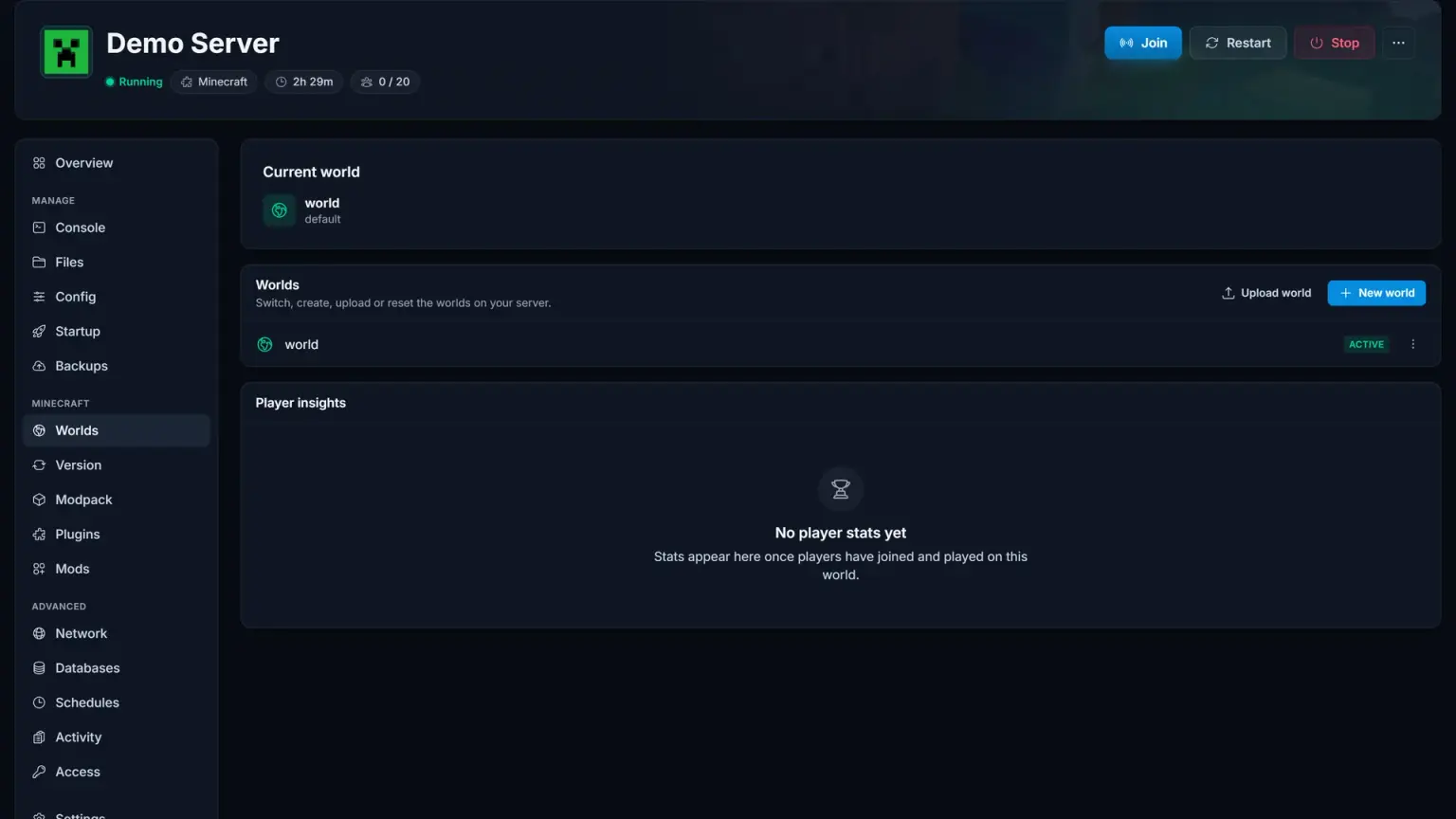
Effortlessly Manage Your Team Fortress 2 Server
Our intuitive control panel gives you full control over your Team Fortress 2 server. Monitor performance, manage resources, and access advanced tools with just a few clicks.
Guides & help
Guides & help
Get up and running fast with Team Fortress 2 setup guides and troubleshooting.
Reviews
What Our Customers Say

Rated 4.5 stars on Trustpilot based on 140+ reviews
Super Host! The owners strive to make the customer experience great.
Excellent service. Offers game servers with 100% uptime at a good price.
Incredibly satisfied! Very happy with the service and servers :) Powerful servers with great performance.
Quick setup and no issues since day one. Our Valheim server runs flawlessly and support replied within minutes.
Best price I've found for a Minecraft server. No lag, no crashes. Highly recommend to everyone!
We've been using SpillHosting for over a year and never had any issues. Great service and reliable servers.
Keep exploring
Other popular game servers


Questions & answers
Frequently Asked Questions
Find answers to common questions about our server hosting.
Yes. Both go into the tf folder over FTP, MetaMod:Source first and SourceMod on top of it. Restart, then add yourself to admins_simple.ini with your Steam ID. From there plugins are single files dropped into addons/sourcemod/plugins.
The starting map is a panel setting, cp_dustbowl by default. The rotation lives in tf/cfg/mapcycle.txt with one map name per line, and custom maps go into tf/maps. Payload, control points, King of the Hill and capture the flag can happily share one rotation.
Yes. Upload the league configs, for example from ETF2L or RGL, into tf/cfg and run them with exec over RCON when the match starts. Choose an rcon_password in server.cfg first, plus a server password so only the two teams get in.
No. The server runs without one. With a token the server keeps its identity on Steam, which means favourites keep working after an IP change. Paste it into the token field in the panel if you want to use one.
Plans start at 2 GB, and that is enough for a standard server. SourceMod with a long plugin list and a large pool of custom maps use more, and the plan scales in 2 GB steps up to 8 GB.
Any more questions?
Ready to play?
Your Team Fortress 2 server is just a few clicks away
Pick a plan and your server is ready instantly.