
Your BeamMP server arrives ready to drive: it boots with sensible defaults, stays private so only people with the address can get in, and loads the small Grid Map so you can test straight away. Most groups want to change a few things before the first real session, such as the name, the map, how many people fit and whether strangers can find it. This guide goes through those settings in the order most owners tackle them, then covers mods and server side Lua plugins.
The defaults you start with
Every new server is created with these values on the Startup tab:
| Field | Default |
|---|---|
| Server Name | SpillHosting.com BeamMP Server |
| Server Description | Hosted by SpillHosting.com |
| Authentication Key | CHANGE_ME (a placeholder) |
| Private | true |
| Max Players | 6 |
| Max Cars | 1 per player |
| Map | /levels/gridmap_v2/info.json |
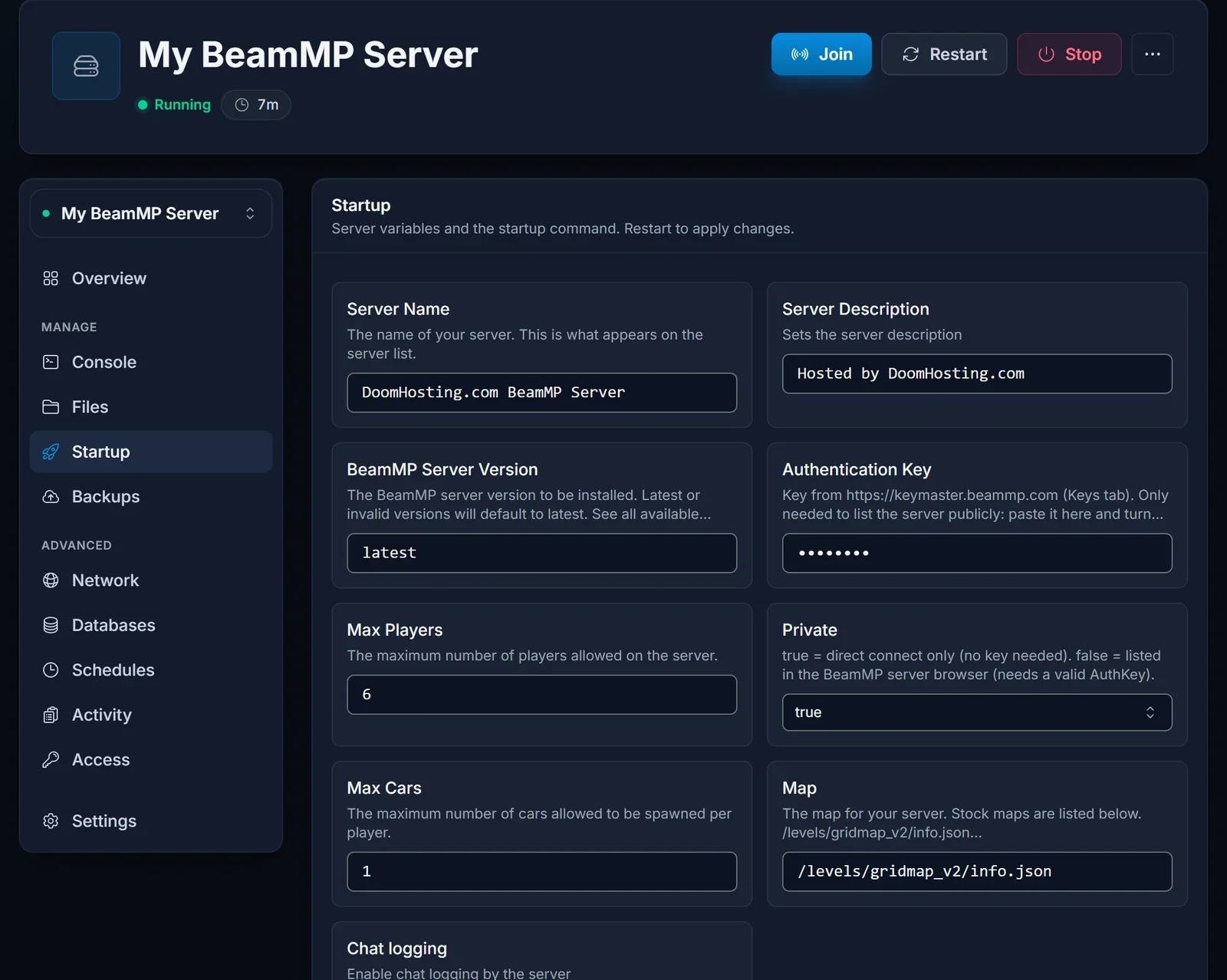
The panel writes these values into ServerConfig.toml each time the server boots. That means edits made directly in the file get replaced on the next start, so treat the Startup tab as the single place to configure the server. Any change needs a restart before it applies.
First boot
Open the server in the game panel and click Start. BeamMP is light and comes up quickly. Watch the Console tab: once you see ALL SYSTEMS STARTED SUCCESSFULLY, players can connect.
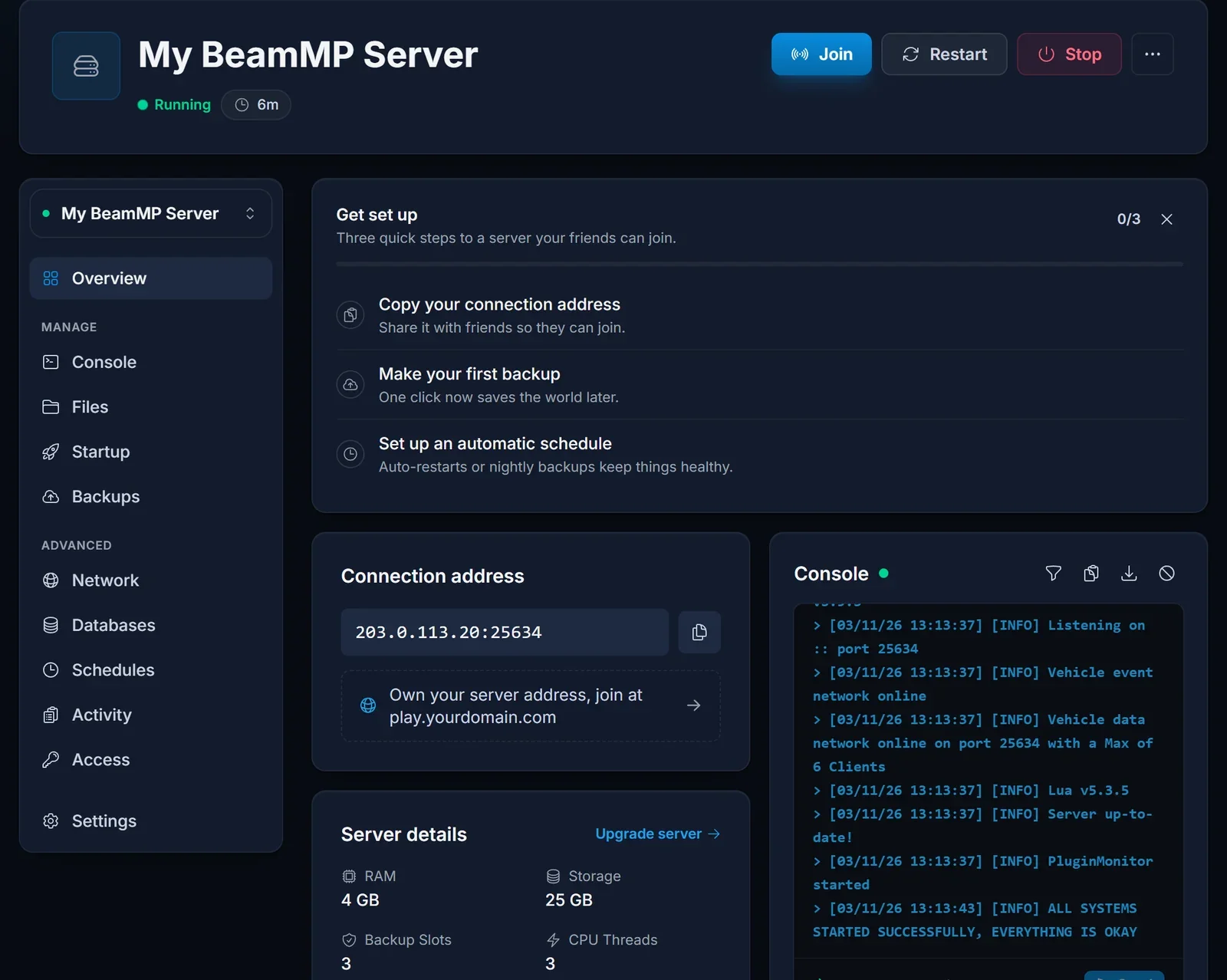
Copy the IP and port from the connection card on the Overview page and send them to your group. The player side, from installing the launcher to connecting, is covered in joining a BeamMP server.
Name and description
Server Name and Server Description are what people read in the public BeamMP list. On a private server few people will ever see them, but it is still worth replacing the defaults with something your group recognises.
Picking a map
The Map field takes the path to a level's info.json, in the form /levels/<folder>/info.json. Stock options you can paste in include:
gridmap_v2for open testing spacewest_coast_usaandeast_coast_usafor highways and townsutahfor desert roadsitalyfor mountain passes and coastal villagesjungle_rock_island,small_islandandindustrialhirochi_raceway,automation_test_trackandderbyfor track days and crash events
So a West Coast server uses /levels/west_coast_usa/info.json.
Players and cars
Max Players caps how many people can be connected at once. Max Cars limits how many vehicles each player may have spawned at the same time. The default of one keeps things tidy and easy on the server. Raise it if your group likes towing trailers or keeping a spare vehicle ready.
Going public
As long as Private is true, the server works for anyone with the address but stays out of the public list. To get listed:
- Go to keymaster.beammp.com and log in with Discord.
- Open the Keys section and generate a new key.
- Paste it over the placeholder in Authentication Key.
- Change Private to
false, then restart.
Never clear the Authentication Key field completely. The server refuses to boot when it is blank, which is why private servers keep the CHANGE_ME placeholder.
Mods for players: Resources/Client
Vehicles, maps and parts come as zip files. Upload them with the Files tab into Resources/Client, then restart. Players receive them automatically while connecting, so nobody has to install anything by hand. To run a modded map, upload its zip there and point Map at that map's /levels/<name>/info.json.
Plugins for the server: Resources/Server
Server plugins are written in Lua and run on the server only. Give each plugin its own folder inside Resources/Server, then restart so BeamMP loads it.
Other Startup options
BeamMP Server Version defaults to latest. You can pin an older release, such as v3.1.0, if a plugin needs it. Chat logging controls whether player chat is written to the console log.
When something goes wrong
The server shuts down a few seconds after starting. Check that Authentication Key is not empty. Put the placeholder or your real key back and start again.
The console reports that the key was rejected. Either the key is mistyped or the server is public with no valid key. Generate a fresh key on keymaster.beammp.com, or flip Private back to true.
For anything else, our team is on live chat on the site, or you can open a ticket at /panel/support. Plans and specs are on the BeamMP server hosting page.
