
Getting into a friend's HumanitZ world should take about a minute. Players either pick the server out of the multiplayer list by its name, or skip the list and type in the address by hand. Which one you use mostly depends on what the person running the server has told you, so this guide starts there, then walks through both routes and the handful of things that stop a connection.
What to ask the server owner for
Before you launch the game, get three things from whoever runs the server:
- The server name, spelled exactly as it was set
- The address, which looks like
203.0.113.20:25637 - The password, if they have locked the server
Owners will find the address on the Overview page of the game panel. A copy button sits right beside it on the connection card, so the address can be pasted straight into Discord without retyping.
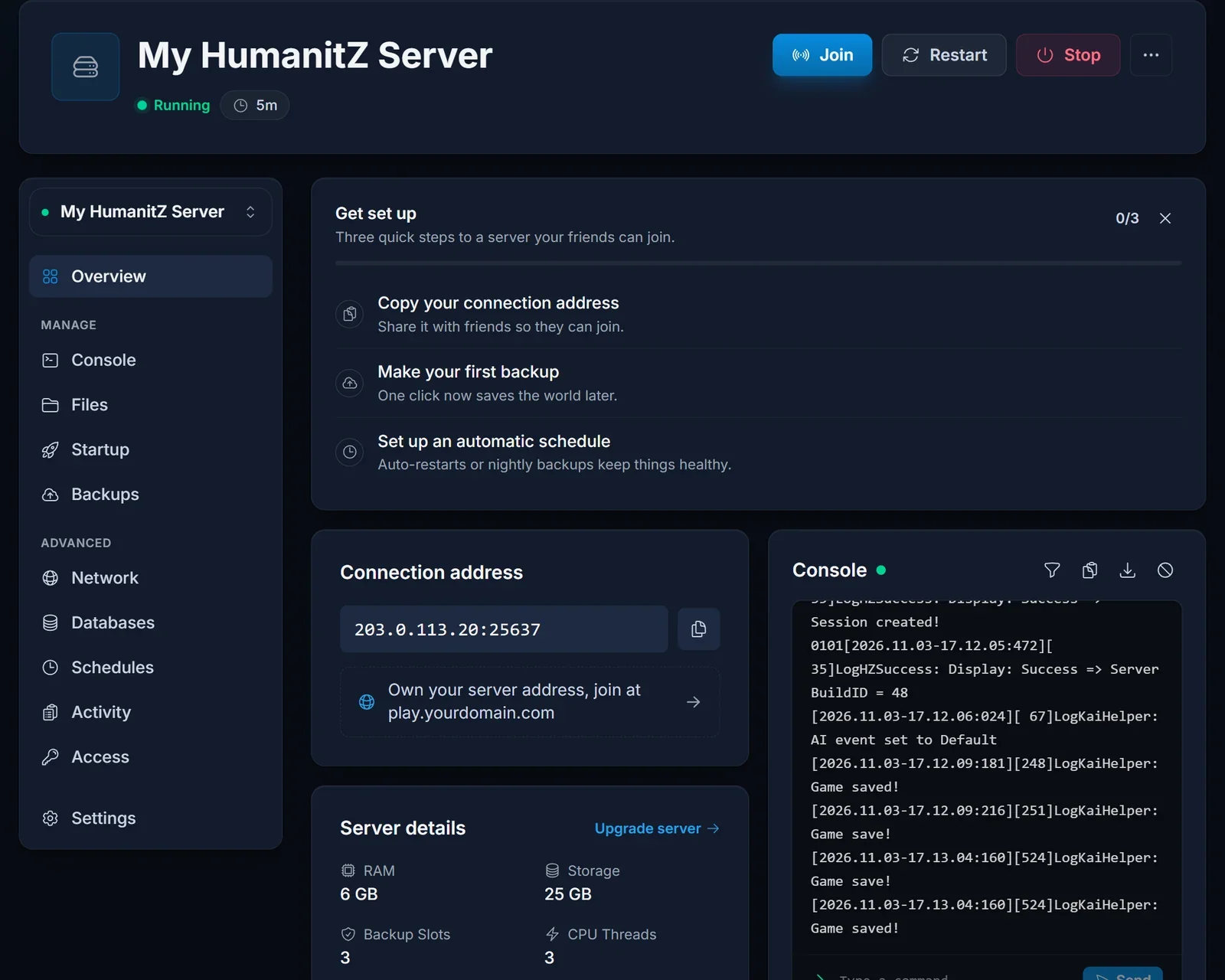
The number after the colon is the game port. That is the only port a player ever types. The server also has a query port listed elsewhere in the panel, but HumanitZ lists itself through Epic Online Services rather than a Steam query, so you can ignore it when joining.
Route 1: pick it from the multiplayer list
This is the easy option when the server is public.
- Start HumanitZ and go into the multiplayer menu.
- Type part of the server name into the search box. A distinctive word works better than the whole name.
- Click the server in the results and join it.
- If a password box pops up, enter the password the owner gave you.
Freshly started servers do not appear instantly. Registration with the listing service can lag a minute or two behind the panel turning green, so refresh once or twice before giving up on this route.
Route 2: type the address yourself
Use this when the server is hidden from the list on purpose, when search turns up nothing, or simply because it is faster once you know the address.
- Open the multiplayer menu in HumanitZ.
- Look at the bottom of the screen for the direct connection fields.
- Put the IP (the part before the colon) in the IP field.
- Put the port (the part after the colon) in the port field.
- Connect, and type the password when asked.
The game wants the IP and the port in two separate boxes. Pasting the whole IP:port string into one field is the most common reason this route fails.
Locked and private servers
A server can be closed off in a few different ways, and each one feels different from the player side:
- A password means you see the server but get asked for a code. The owner sets it as Server Password on the Startup tab, and a new value only applies after the server restarts.
- A custom Search ID keeps the server out of the normal list. You can still reach it by typing the address, or by searching for that exact ID if the owner shares it.
- Reserved slots can turn a server into a whitelist, where only listed players get in. If you are refused on an otherwise empty server, ask the owner whether you are on the list.
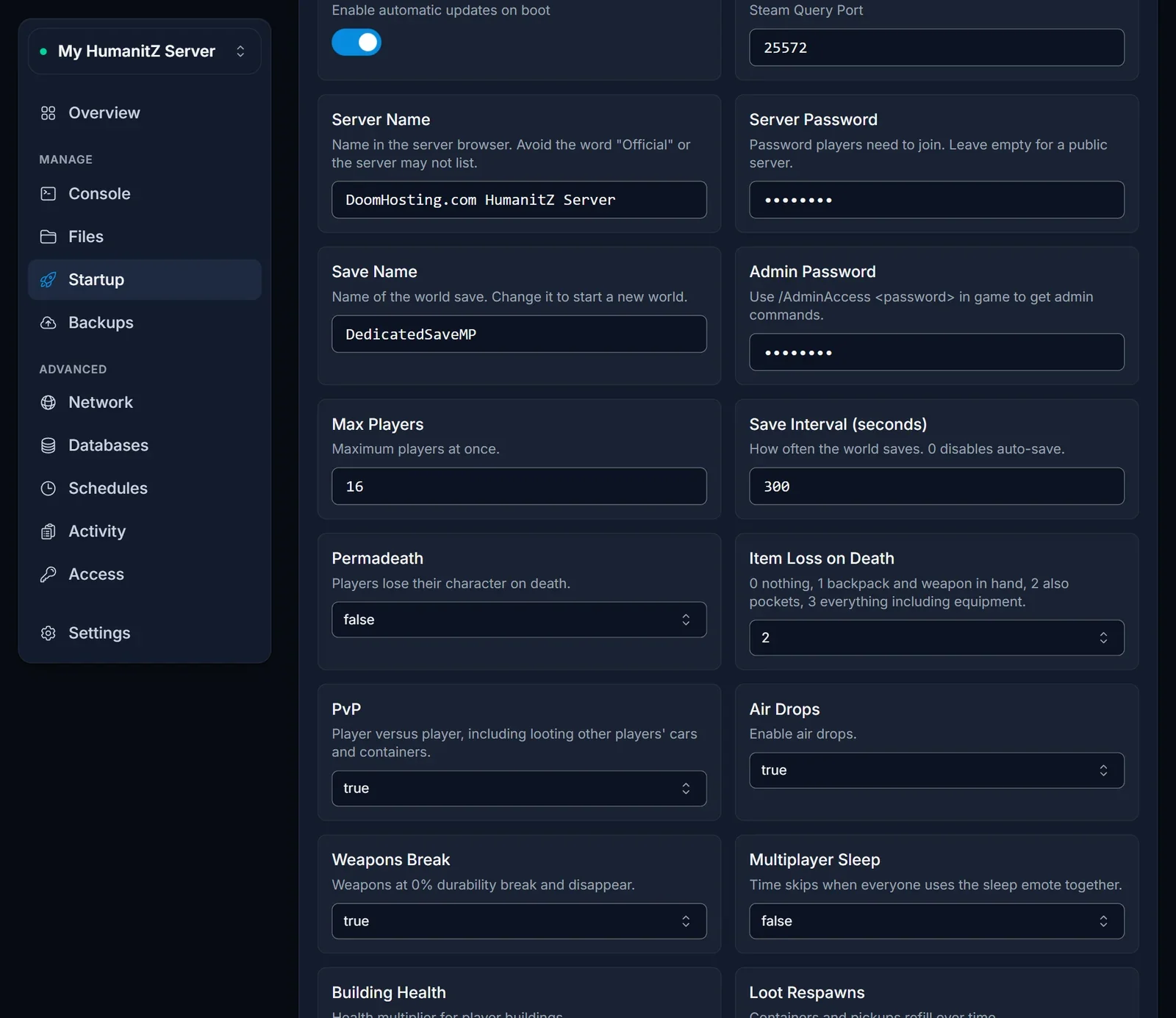
Running the server yourself? The HumanitZ getting started guide explains every one of these settings.
When you still cannot get in
I searched and nothing came up. First confirm with the owner that the server says Running. Then try the address route, which does not depend on the list at all. Servers whose name contains the word "Official" are often left out of the list, because the game treats that word as reserved.
The game says my version is wrong. Your client and the server have to be on the same build. The server pulls the latest update each time it boots, so after a patch the owner should restart it, and you should let Steam finish updating your copy.
It sits on connecting and then fails. Check that you used the game port from the connection card and put it in its own field. School, office and some public networks block outgoing UDP, which the game needs, so try from another connection if you can.
My password keeps getting rejected. The owner may have changed it without restarting yet, or restarted after changing it and forgotten to tell you. Ask them to read out what the Startup tab says right now.
It says the server is full. Max Players limits how many people can be on at once. The owner can raise it and restart.
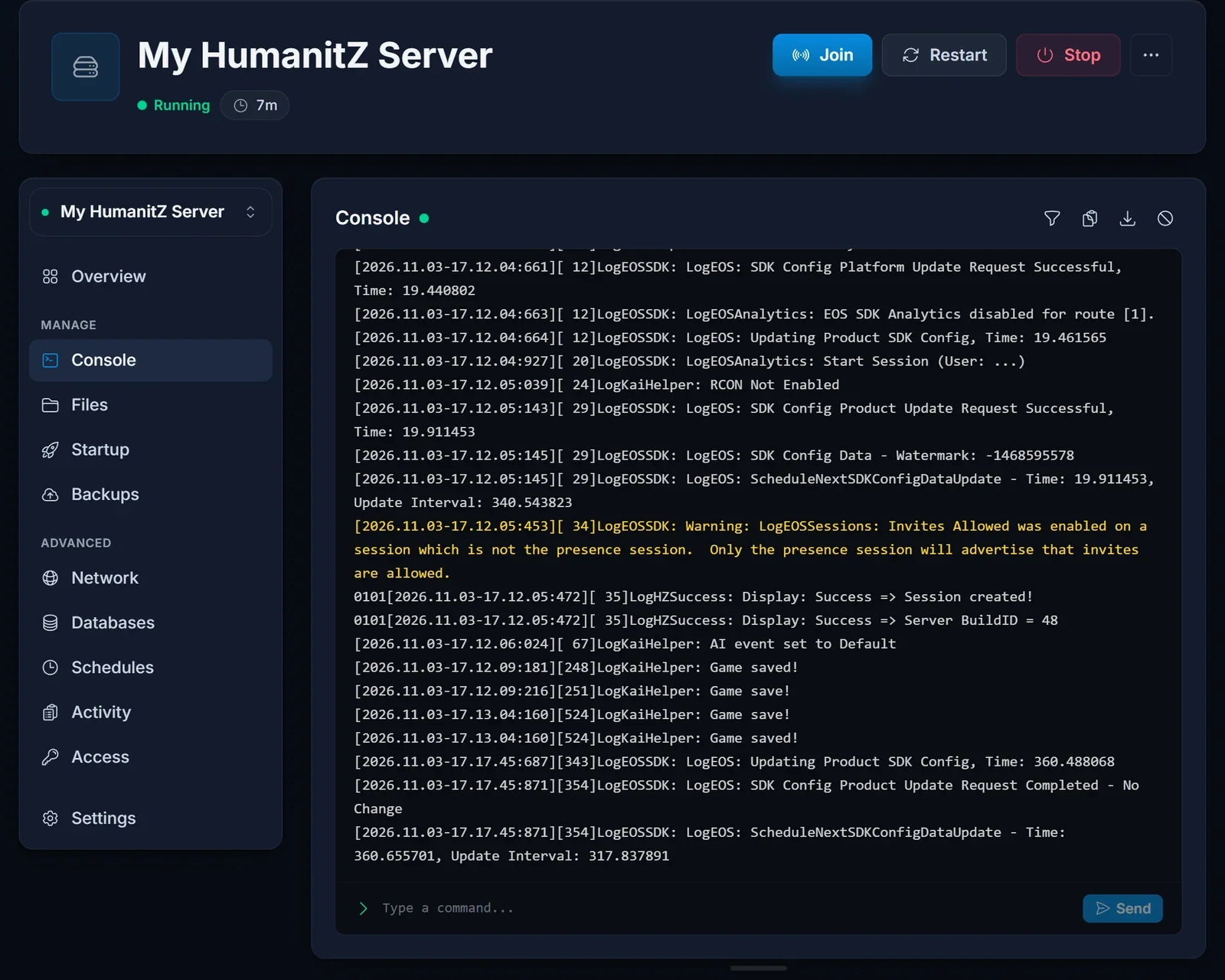
The owner is not sure the server finished starting. The Console tab answers that. A HumanitZ server is ready for players once its log shows the line Session created!.
Want your own server?
A server keeps your world running even when nobody is online, so the group can drop in whenever it suits them. Have a look at our HumanitZ server hosting plans, and if you get stuck at any point, our live chat on the site or a ticket at support will get you an answer.
