
A new SCP: Secret Laboratory server does not appear in the in-game server browser, and that is expected: the browser only lists servers Northwood Studios has verified. Below is what verification asks of you, how to apply, and what the usual error messages mean.
Who decides
Verification is Northwood's decision. We are not on Northwood's list of hosts whose servers are verified automatically, so you apply the same way as someone running a server at home, and we cannot speed an application up. Nothing is locked while you wait: the server runs as usual, and players get in through Direct Connect, as described in connecting by IP and port.
Should you apply at all?
A listing comes with obligations, and a server for a closed group of friends gets by fine without one. Before applying, check that you can live with these:
- More than 14 consecutive days offline cost a verified server its verification.
- Emails from Northwood need an answer within 72 hours, or the server is delisted.
- The slot count stays at 60 or lower.
- You sign the Community Server Guidelines (https://scpslgame.com/CSG.pdf) and follow them while listed. Among other things they ban advertising products or services in the server name.
- Northwood's guideline for the machine is 2 physical cores, 20 GB of storage and 4 GB of RAM. Plans with us start at 3 GB of RAM, so move up to 4 GB or more in the control panel before you apply.
Step 1: complete config_gameplay.txt
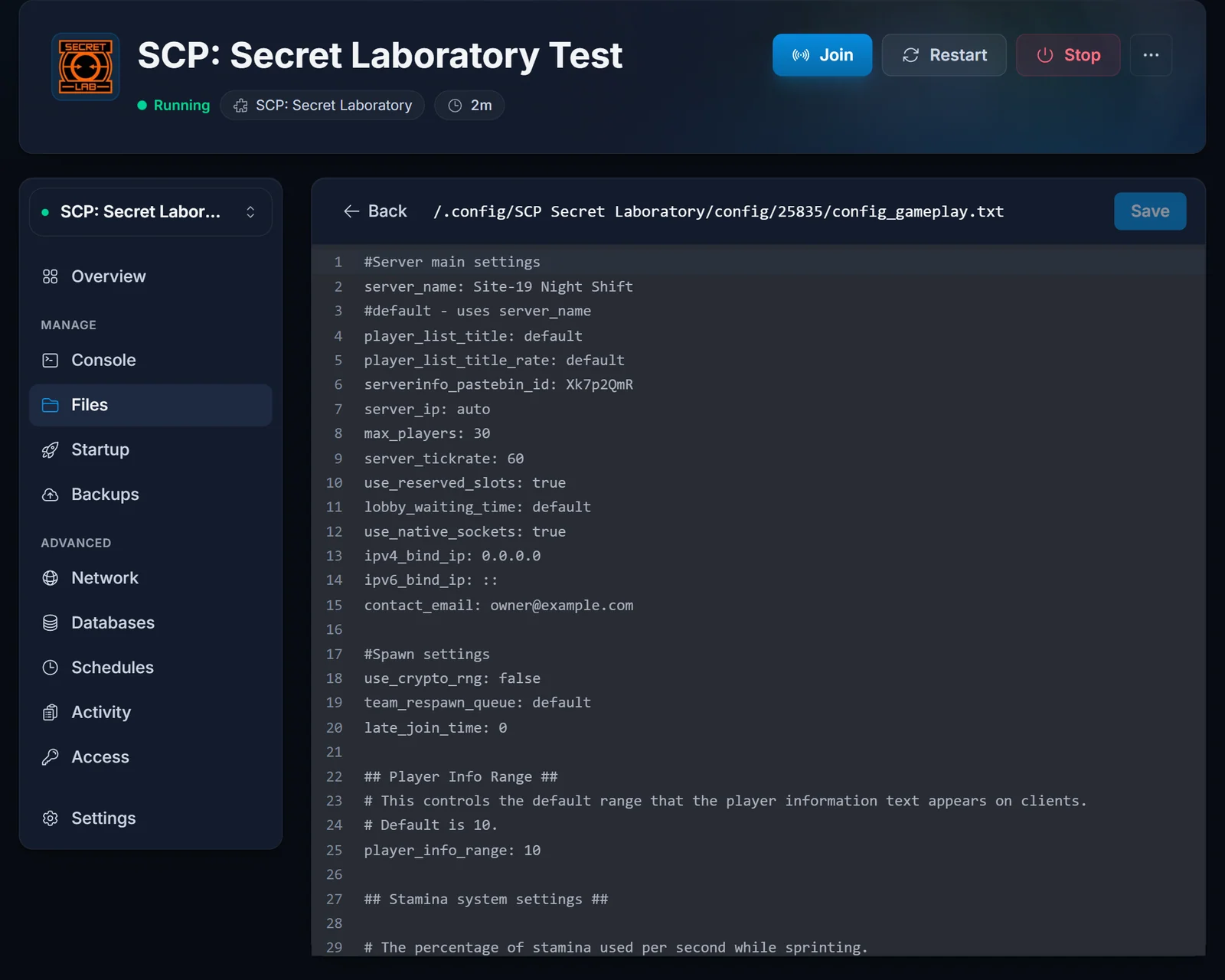
The file sits in .config/SCP Secret Laboratory/config/<port>/. Setting up your server explains how to find the right port folder. These are the lines Northwood looks at:
server_name: Containment Breach Nights
serverinfo_pastebin_id: AbCd1234
contact_email: [email protected]
max_players: 24
server_ip: auto
contact_emailis not in the default file. Add the line yourself. This is the address Northwood writes to.serverinfo_pastebin_idcomes with an example value from Northwood. Replace it with your own (step 2).server_ipstays onautoor holds the server's public IPv4 address. Domain names and IPv6 cannot be verified.max_playersis 60 or lower.
Keep a space after every colon, save, and restart the server.
Step 2: publish your server info on Pastebin
Create a public paste on pastebin.com with your server rules and how players can contact your staff (a Discord server link, say, or an email address). Write the rules in English unless the server states which language or region it is for. The paste ID is the last part of its web address; that is the value for serverinfo_pastebin_id.
Step 3: apply from the console
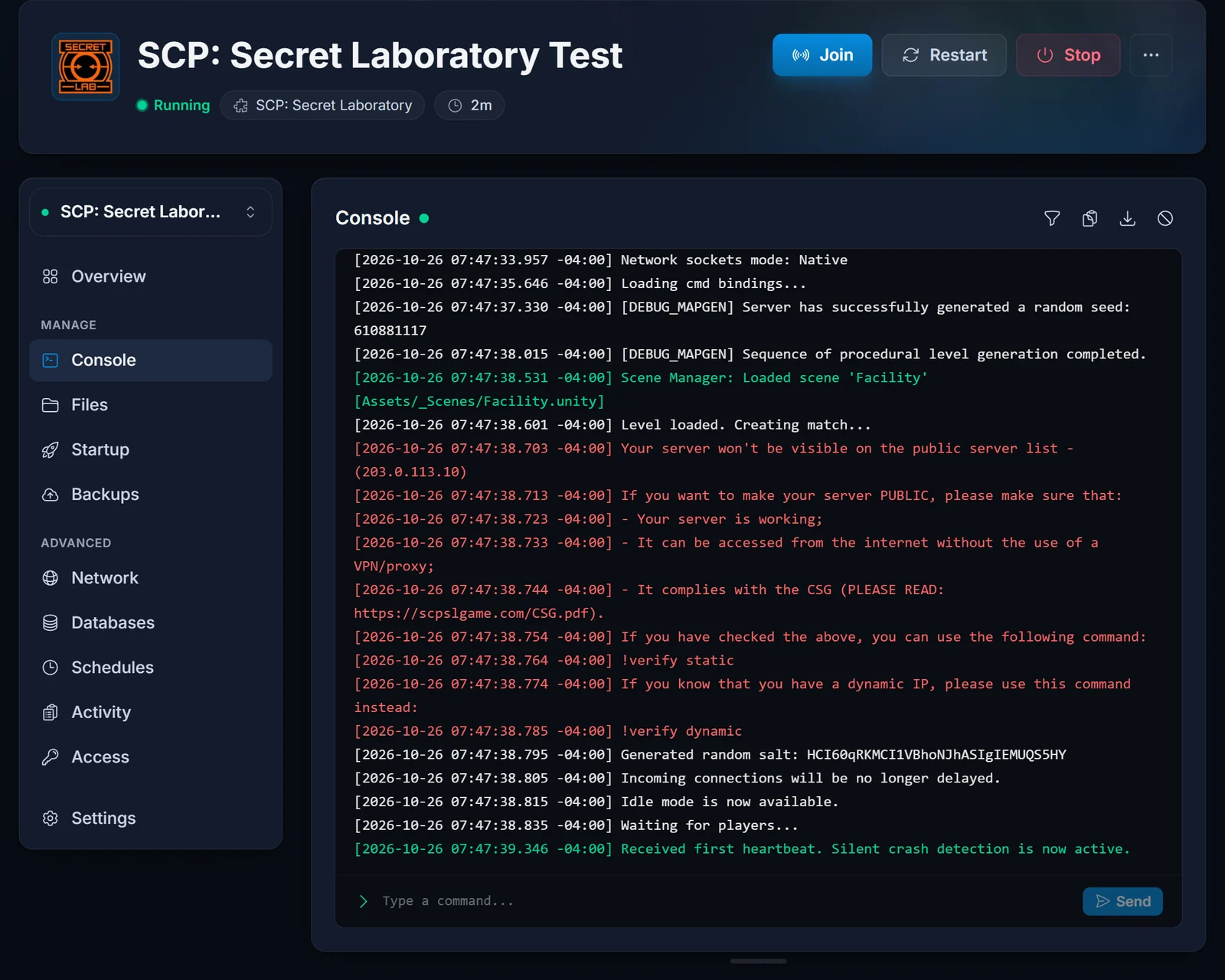
With the server up, type this on the Console tab:
!verify static
Choose static, because the server's IP address does not change. Northwood's central servers then connect to your server to test it.
Step 4: sign the guidelines
Approval arrives as a link that LocalAdmin writes to the console. Follow it to sign the Community Server Guidelines, and the listing goes live.
Applying by email instead
If the console route keeps failing, write to Northwood's Safety & Compliance team at [email protected]:
- Send it from the address in your
contact_emailline. - Include the public IPv4 address from the Overview tab, the port, and the fact that the IP is static.
- Plain English, no attachments.
Answers take about 3 to 7 business days. Write once only: a second email sends you to the back of the queue.
Plugins and the modded flag
Under the guidelines any plugin is a modification, and a verified server that runs one has to report itself as modded. The guidelines also describe a transparently modded flag, which is a line in config_gameplay.txt:
transparently_modded_server: true
Error messages
Specified port is not registered. Northwood sees the IP address as already registered. Several servers share each of our IP addresses on different ports, so another server on the same IP may have been verified first. Email Safety & Compliance with the error, the IP and the port, and let our support know as well.
Your IP address is already verified!, with no listing to show for it. The key file, verkey.txt, is missing or damaged. Ask Safety & Compliance by email for a new key.
After a move to another location. The server now has a different IP address, while Northwood still has the old one on file. Send Safety & Compliance an email with [IP Change] in the subject and both addresses.
Northwood could not reach the server. Make sure the server is running (Waiting for players.. in the console), compare the IP and port in your request with the Overview tab, and confirm server_ip is auto or the public IPv4 address.
Questions about your server? Contact support. Want to compare memory sizes first? See SCP: Secret Laboratory server hosting.
