
This guide takes a fresh SCP: Secret Laboratory server from "it runs" to "it is ours": a proper name, a slot count, owner rights for you and, if you want one, a whitelist. All of it happens in a few text files, and you do not need the game open while you work.
Where the settings live
The server keeps its settings in a folder named after its game port:
.config/SCP Secret Laboratory/config/<port>/
You find the port on the Overview tab of the control panel: look for the digits after the colon in its address. A server at 203.0.113.10:25600 reads its files from config/25600. Open that folder on the Files tab, or use an FTP client as described in connecting via SFTP.
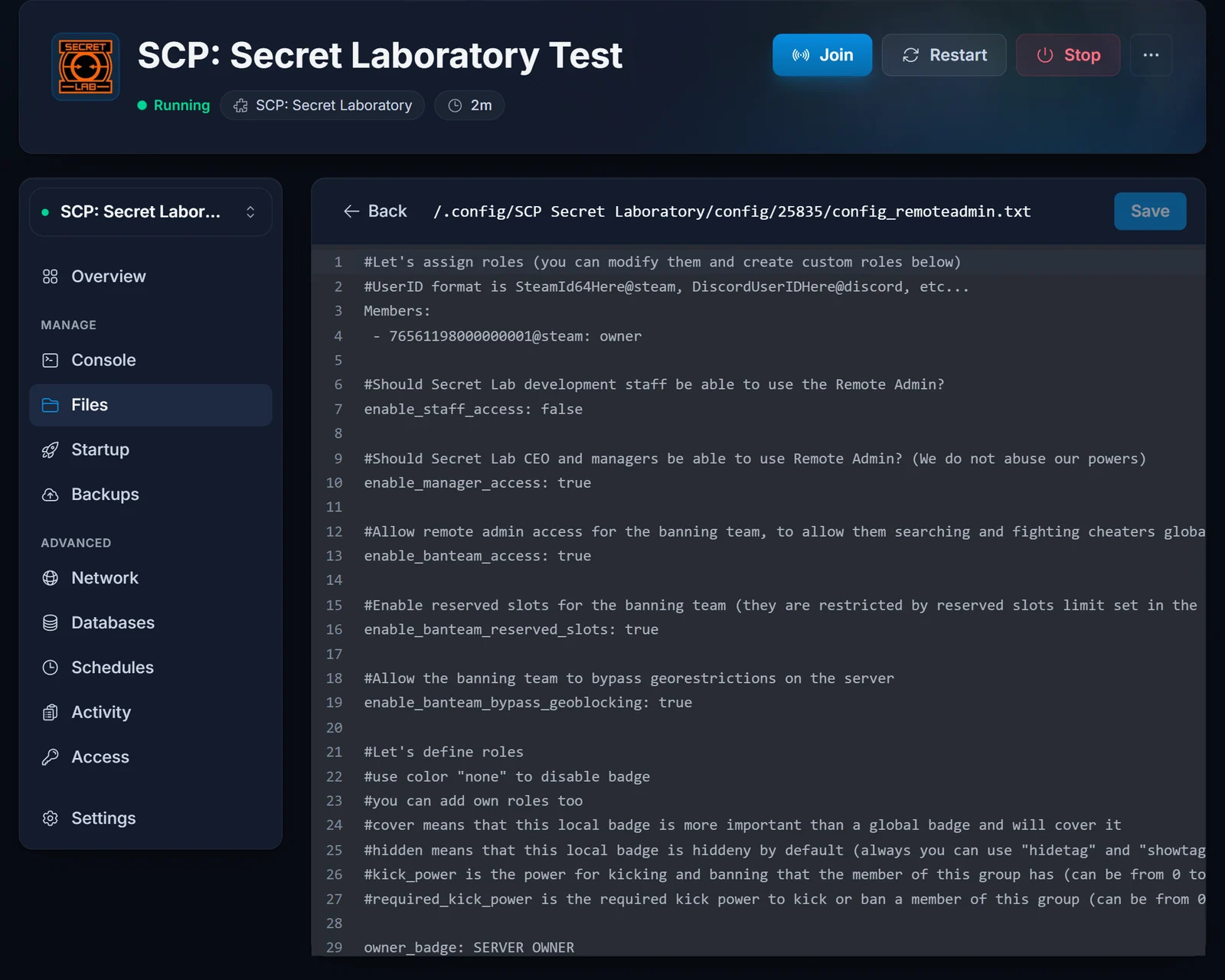
| File | What it controls |
|---|---|
config_gameplay.txt |
Server name, slot count, the whitelist switch and round settings |
config_remoteadmin.txt |
Staff roles and the players who hold them |
UserIDWhitelist.txt |
Players who may join while the whitelist is on |
The game writes these on its first boot. When an edit seems to vanish, look at the folder name before anything else: a folder for some other port, or a template copy, is not what your server loads.
Rename the server and pick a slot count
In config_gameplay.txt, find these two keys:
server_name: Containment Breach Nights
max_players: 24
The format is strict. Key, colon, one space, value. Leave out the space and the line is skipped, so the default name comes back.
The slot count starts at 20. Staying at 60 or below keeps the public list open to you later, since Northwood delists verified servers above 60. The Community Server Guidelines also ban advertising products or services in the name, so keep it to your community.
The file is read when the server starts. Save, then restart from the panel.
Give yourself owner
Roles are assigned in the Members section of config_remoteadmin.txt. Each entry is a SteamID64 with @steam on the end, followed by the role:
Members:
 - 76561198000000000@steam: owner
That section ships with example IDs. Take them out, because while they are there the role assignments are not applied. No idea what your SteamID64 is? Finding your SteamID64 shows where to look.
Restart, join, and open Remote Admin in game. That is where you kick, ban and run rounds.
A whitelist for a private group
Switch it on in config_gameplay.txt:
enable_whitelist: true
Then list the players in UserIDWhitelist.txt in the same folder, one per line:
76561198000000000@steam
After a restart, anyone who is not on the list is refused.
What the console shows on start
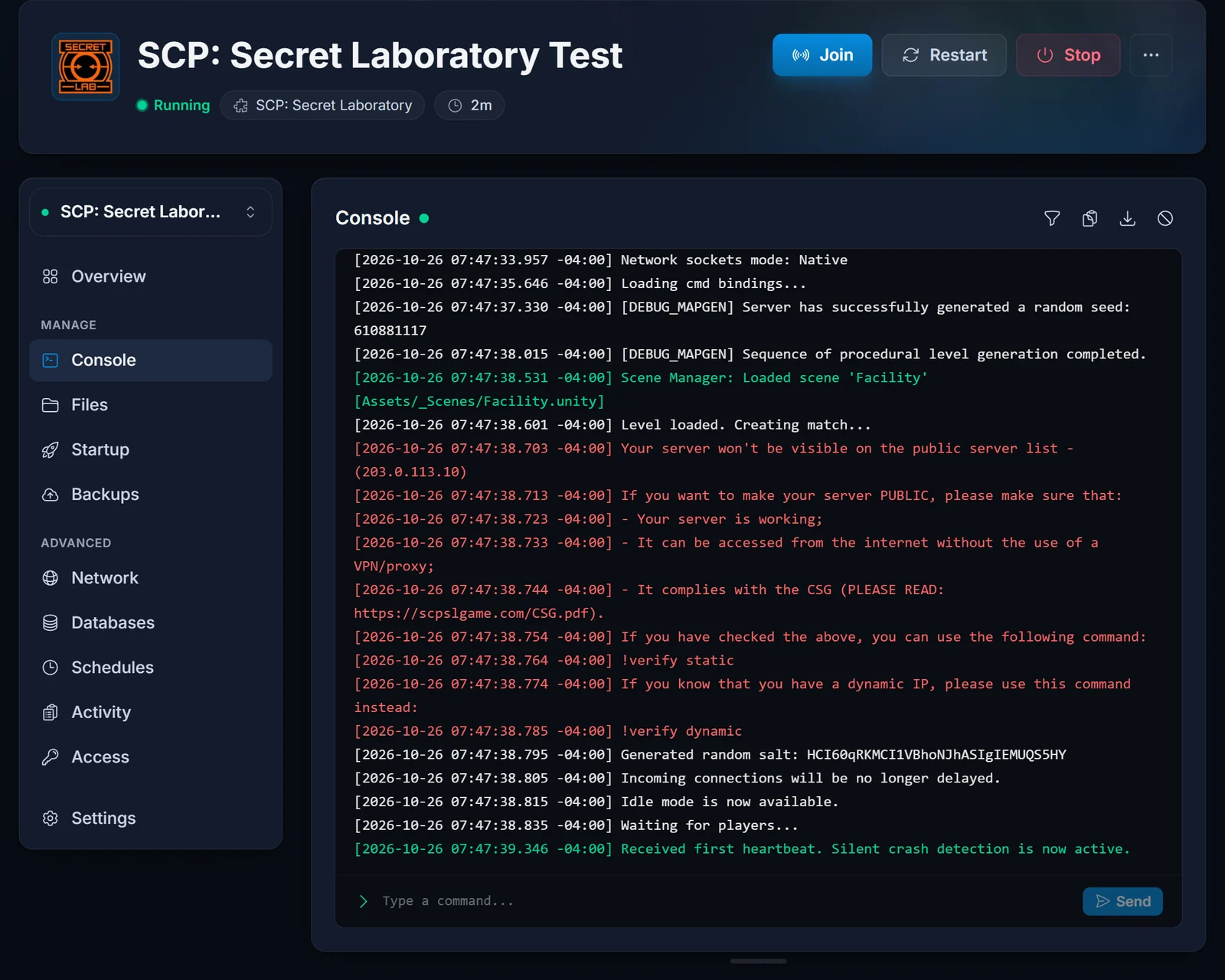
The server runs under LocalAdmin, the launcher Northwood ships with its dedicated server. On every start it checks Steam for a newer build, launches the game and prints Waiting for players.. once the server is open. The game's EULA (https://link.scpslgame.com/eula) is accepted in the server configuration, so the console never stops to ask about it.
Patches and test branches
Since the update check runs on every start, one restart after a Northwood patch is enough. For a public test branch, type the branch name into the Branch field on the Startup tab and reinstall. Clearing the field plus another reinstall puts you back on the regular build. Your config folder survives both.
Plugin files
LabAPI, Northwood's own plugin loader, is part of the dedicated server. A plugin file you upload over FTP to .config/SCP Secret Laboratory/LabAPI/plugins/global/ is loaded on the next start. Plugins are yours to look after. We neither install them nor give support for them, and a game patch can break one until its author releases a fix.
Getting into the public list
The in-game list only carries servers Northwood has verified, and a new server is not one of them yet. Players can join it right away with Direct Connect, as shown in connecting by IP and port. When you want a place in the list, getting your server verified walks through the application.
Troubleshooting
The server is still called "My Server Name". Wrong port folder, no space after server_name:, or no restart since the edit.
The owner role does nothing. The example IDs are still in Members, or your line is missing @steam or the spaces around the dash.
"The specified host is not available" for your friends. The port was left out of the address, or the server is stopped. Direct Connect falls back to 7777 when no port is given.
The console sits waiting for input. That should not happen. Send support a screenshot of the console.
Planning a bigger slot count? Add memory from the control panel or compare our SCP: Secret Laboratory server hosting plans. Stuck on something else? Contact support.
