
"Failed to connect" is Valheim's least helpful error. It does not mean the server is down. It means your game tried to reach the server one way, and that way led nowhere. Most of the time the cause is one of two things: a PlayFab crossplay login saved on the player's PC that keeps steering the connection through a relay the server no longer uses, or a server that has crossplay off and Public server off at the same time, which makes Join IP fail without a word.
This guide runs from the fastest checks to the fix that solves the majority of cases, then covers the server side.
Sixty seconds of quick checks
Work down the list. Each takes a moment and rules out a whole class of causes.
- Is the server still starting? Valheim only accepts players once the world is loaded, which can take a couple of minutes after a restart. Watch the Console tab in the panel for the line that says the game server is connected, then try again.
- Same version on both sides? After a Valheim patch, Steam updates your client within minutes while the server may still be running the previous build until its next restart. The server prints its version at the top of the console on boot. Compare it with the number on your main menu, and restart the server if they differ.
- Right port for the method? Join IP takes the game port exactly as the panel shows it, for example
1.2.3.4:25685. Steam's server browser takes the query port instead, which is always one higher, so1.2.3.4:25686. Mixing them up is the single most common address mistake. - Is the join code from today? The server generates a new code on every boot. A code from yesterday is dead, and with crossplay off there is no code at all. Grab the current one from the panel.
- Password at least five characters? Valheim refuses to start with a shorter one, and a wrong password gives its own message, so "Failed to connect" is rarely a password problem.
- Is someone on console trying to join a Steam-only server? Xbox, Game Pass, PS5 and Switch 2 players can only reach the server through the crossplay relay. With crossplay off there is no path for them at all.
- Local firewall or antivirus? Allow Valheim through, or pause the security software for one test connection.
- Mods? A BepInEx server expects every player to run the same plugins. A mismatch normally reports an incompatible version rather than "Failed to connect", so this is rarely the cause, but it is a quick check.
The fix that solves most cases: delete the PlayFab account
Here is what is happening. The first time a player joins any Valheim server with a join code, the game creates a PlayFab account for them and saves it on that PC. From then on the client prefers the crossplay route on every connection. When a server later turns crossplay off, the relay the client is aiming for is gone, so the connection lands nowhere and Valheim reports "Failed to connect". Meanwhile the server is fine and other players are inside.
It is the game's behaviour, not the host's, and every affected player fixes it once on their own machine:
- Open Valheim and go to Settings from the main menu.
- On the Gameplay tab, click Delete PlayFab account.
- Confirm with Yes. The dialog states that worlds, characters and buildings stay.
- Without restarting the game, go back to the main menu, open Join Game, pick Join IP and connect with the address from the panel.
Step 4 matters. If the game is restarted before reconnecting, Valheim creates a new PlayFab account on startup and the problem returns. The button removes nothing but the stored login, and a new one is created automatically the next time that player joins with a join code.
The full walkthrough with screenshots, and a longer explanation of why the account exists, is in deleting your PlayFab account in Valheim.
Crossplay on, and one player cannot get in
When the server runs crossplay and everyone but one person connects, that person's Windows PC is often missing the Microsoft Visual C++ 2015-2022 redistributable. Valheim's PlayFab layer depends on it and Steam does not always install it. Get the x64 package from Microsoft's download page, reboot, and try again.
Do the PlayFab reset first if that player has ever used a join code. The two fixes do not conflict, and the reset is the more common one.
Server side: Join IP needs Public server on
With crossplay off, Join IP is not a direct socket. Valheim first asks the server's Steam query port, the game port plus one, for its Steam ID, then connects through Steam using that ID.
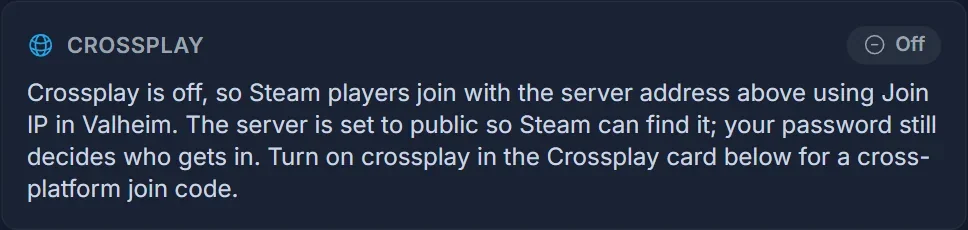
If Public server is off, which is -public 0 on the command line, Steamworks does not answer that query. Join IP then fails with no message at all, on a server that is otherwise healthy, and the whole group sees "Failed to connect".
The SpillHosting panel sets Public server on for you whenever you turn crossplay off, so this only happens on a server where someone turned it back off later. Public server on means the server answers those queries and appears in the community list. Your password still decides who gets in. The full procedure and the Startup tab values are in turning off crossplay on a Valheim server.
Common questions
Everyone got "Failed to connect" at once. Is the server dead? Possibly still booting. Open the Console tab in the control panel and wait for the world to finish loading. If it is stuck, restart it and give it two minutes.
I can join, my friend cannot. The server is fine. Have that player do the PlayFab reset, then check their firewall and the Visual C++ redistributable.
Does deleting the PlayFab account wipe my character? No. It removes the crossplay login stored on that PC and nothing else.
Should I reinstall the game? No. The PlayFab account lives outside the game files and survives a reinstall. Verifying game files in Steam only helps when the client crashes rather than failing at the connect step.
Where do I find the correct address? On the Overview tab of the panel, with the port. Both join methods are covered in joining your Valheim server.
On a SpillHosting Valheim server, the address, the join code and the crossplay switch sit on one page of the panel, so you can tell in seconds whether the problem is the server or the client. See the Valheim server hosting page for the rest.
